

Booking, marketing and payments app for beauty and barber pros, priced per user
Is Booksy Worth It?
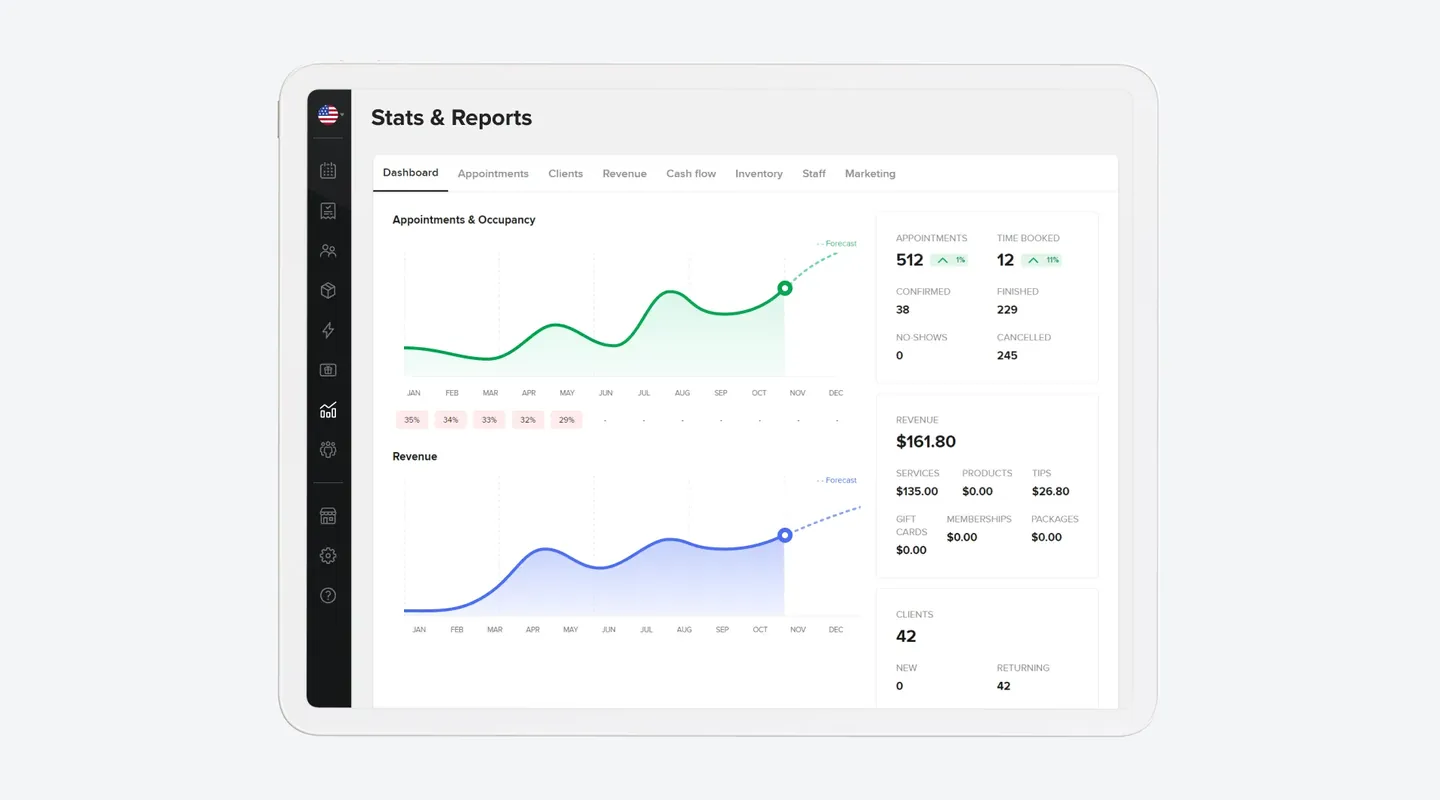
Booksy is worth considering if you run a salon, barbershop, nail, lash or esthetics business in the US and want online booking, reminders, marketing and no-show tools under one price. It costs $29.99 a month for the first user plus $20 for each additional team member, with every listed feature included and a 14-day trial that needs no card. Your profile is also listed on the Booksy Marketplace, with no commission on new clients unless you turn on Boost. Boost then takes 30% of a Boost client’s first visit; Booksy’s US help center sets a $10 minimum and a $100 cap. Card payments are optional: 2.69% + $0.30 for mobile and keyed payments, and 2.49% + $0.10 on the Card Reader. It is a weaker fit for larger teams, because every extra user adds $20, and the AI Receptionist is still in beta. Capterra reviewers praise easy booking but some report Boost disputes and slow support. We have not hands-on tested the product; this verdict is based on Booksy’s US pricing page, help center and reviews checked on 14 Nov 2026.
Who It’s For
Good Fit If…
- Good Fit: You are a solo beauty or barber professional, or a small team, and want one price with every feature included
- Good Fit: You want clients to book 24/7 from Instagram, Facebook, Google or your own profile link
- Good Fit: You want deposits, cancellation fees and a waitlist to cut no-shows
- Good Fit: You want a Marketplace listing and are happy to keep Boost off, or accept its first-visit fee
- Good Fit: You want to try it first: the 14-day trial needs no credit card
Not a Fit If…
- Not a Fit: You have a larger team: each extra user adds $20 a month, with no unlimited-staff plan
- Not a Fit: You need a phone AI receptionist that is generally available today; Booksy’s is in beta
- Not a Fit: You run several locations and need confirmed multi-location billing, or a health clinic that needs HIPAA coverage (neither was verified)
- Not a Fit: You want a $0 forever plan
- Not a Fit: You need a verified hands-on Tool Checked product test or ranked score before deciding (not published on this profile)
Business types: Barbershop · Beauty & Wellness · Day Spa · Hair Salon · Lash & Brow · Makeup Artist · Massage Studio · Med Spa · Nail Salon · Skin Care & Esthetician · Tanning Salon · Tattoo & Piercing
Pricing & Total Cost
| Plan | Price (USD) | Staff | Includes |
|---|---|---|---|
| Booksy | $29.99 /month for the first user (US, plus tax) | First user included; +$20/month per additional team member |
|
- 30% fee on the first booking of new marketplace clients (min. $10), capped at $100 – Only for optional Boost, not for every new client. Boost is free to turn on with no monthly fee. Booksy’s US help center charges 30% per service on a Boost client’s first completed visit, with a $10 minimum and a $100 cap; add-ons are excluded and tips stay with you. The US pricing page states 30% of the first visit’s total cost, up to $100, and does not mention the $10 minimum.
- Card processing 2.69% + $0.30
- SMS marketing: 2,000/mo included; overage Not Published
- Prices are US list prices, plus tax: $29.99 a month for the first user and $20 a month for each additional team member. No tax rate is published here.
- The calculator uses $29.99 for the first user plus $20 per additional team member, and the Mobile Payments and keyed-in card rate of 2.69% + $0.30. In-person payments cost less: 2.49% + $0.10 on the Booksy Card Reader and 2.49% + $0.20 with Tap to Pay. Its new-client fee counts Boost first visits only (30%, $10 minimum, $100 cap, per Booksy’s US help center), not all new clients.
- Deposits, cancellation fees and cards on file are charged at 2.69% + $0.30. Refunds carry the same processing fees, chargebacks cost $20, and 30-minute Fast Payouts cost 1.5%. Next-business-day payouts are free, with no payment setup fee or monthly payment fee.
- Boost is optional, free to turn on and has no monthly fee. The US pricing page says 30% of the total cost of a Boost client’s first visit, up to $100. Booksy’s US help center calculates 30% per service, with a $10 minimum and a $100 cap per first visit; add-ons are excluded, tips stay with you, and no fee applies if you mark a no-show the same day.
- SMS marketing includes 2,000 free messages a month; the rate after that is not published.
- Hardware is optional: Stripe Reader M2 $53.10 + shipping or Stripe Reader S710 $299 + shipping; the shipping amount is not published. Tap to Pay needs no extra terminal.
- AI Receptionist is in beta. The first 500 providers to sign up get it free for at least 12 months; the price after that is not published.
- Booksy’s homepage notes that payment processing and hardware are not included in the $29.99 subscription.
Pricing shown for the US market in USD; local pricing and taxes may vary.
Real Cost by Business Size
| Business Size | Cost Items | Monthly Total | 12-Month Total | Assumptions |
|---|---|---|---|---|
| Solo — first user, subscription only |
| $29.99 | $359.88 | US list price $29.99/month for the first user, month-to-month. No additional team members, no card volume, no Boost, no hardware, no Fast Payouts, no SMS overage, and no sales tax modeled. Checked 14 Nov 2026. Illustrative calculations from published prices, not observed customer spending. The 12-month figure repeats the same monthly assumptions at unchanged rates. Source |
| Two users — first user + 1 additional team member, subscription only |
| $49.99 | $599.88 | $29.99 + $20 = $49.99/month. No card volume, Boost, hardware, Fast Payouts, SMS overage or tax modeled. US list prices checked 14 Nov 2026. Illustrative only. Source |
| Team of 5 — first user + 4 additional team members, subscription only |
| $109.99 | $1,319.88 | $29.99 + (4 × $20) = $109.99/month. No card volume, Boost, hardware, Fast Payouts, SMS overage or tax modeled. US list prices checked 14 Nov 2026. Illustrative only. Source |
| Solo + illustrative optional Boost (6 first visits at $80) |
| $41.99 | $503.88 | Subscription $29.99/month plus optional Boost. Six Boost-attributed first visits in a year, each a single $80 service. Under Booksy’s US help center, 30% of $80 = $24, which is between the $10 minimum and the $100 cap; add-ons excluded. This is not a typical-volume claim. No card processing, hardware or tax modeled. If Boost is off, this Boost line is $0. Boost applies only to Boost-attributed first visits, not all new clients. monthly_total averages the $29.99 subscription plus $144/12 = $12.00 of Boost commission; actual Boost billing is per completed first visit, not a flat monthly fee. Source |
Which Plan Should You Pick?
| Plan | Pick It If… | Upgrade When… |
|---|---|---|
| Booksy | You want one US price that includes the listed booking, marketing and no-show tools, and you can add team members at $20/month each. | There is no higher feature tier. Costs rise when you add staff, process cards, buy a reader, turn on Boost, or use Fast Payouts. |
Price History
| Checked | Plan | Price | Source |
|---|---|---|---|
| 14 Nov 2026 | Booksy | $29.99 /month for the first user; +$20/month per additional team member (US, plus tax) | Source |
Features
| Feature | Booksy | Notes |
|---|---|---|
| Online booking, waitlist, reminders, reports, gift cards, memberships and packages | ✓ | Source |
| Email marketing | ✓ | Source |
| SMS marketing (2,000 free messages/month included; confirmations and reminders always free; overage unpublished) | ✓ | Source |
| No-show protection: deposits, cancellation policy and cancellation fees | ✓ | Source |
| Booksy Marketplace listing (no commission when Boost is off) | ✓ | Source |
| Boost (optional; no monthly fee; one-time first-visit commission) | – | US pricing page: 30% of the total cost of a Boost client's first visit, max $100, free to turn on. Booksy’s US help center also publishes a $10 minimum and per-service calculation. Add-ons are not included (base service price only). Source |
| Optional Booksy Payments (Mobile Payments + keyed-in entry) | – | 2.69% + $0.30. Booksy’s help center lists this rate for cards on file, cancellation fees and deposits. No setup or monthly payment fee. Source |
| Booksy Card Reader payments | – | 2.49% + $0.10. Hardware: Stripe Reader M2 $53.10 + shipping; Stripe Reader S710 $299 + shipping. Shipping amount unpublished. Source |
| Tap to Pay | – | 2.49% + $0.20. No extra terminal required, per the pricing and Tap to Pay pages. Source |
| AI Receptionist (phone booking) | Beta | In beta; current providers can request access. First 500 sign-ups free for at least 12 months; later price unpublished. Cannot yet book appointments that have No-Show Protection enabled. The features index lists it among 'all features included'; the dedicated page is more specific and is followed here. Source |
| Inventory, resources/rooms, staff commissions, permission levels, Shared Location (booth/suite) | ✓ | Source |
| Custom intake forms and liability waivers | ✓ | Source |
Features for Your Business
| Processing / gap time booking | ✓ |
| Booth & chair rental support | ✓ |
| Retail products & stock | ✓ |
| Room & equipment booking | ✓ |
| Spa packages & memberships | ✓ |
| Digital intake & consent forms | ✓ |
| Service add-ons (nail art, removal) | ✓ |
| Design gallery / portfolio | ✓ |
| Required deposits per service | ✓ |
What It Can and Can’t Do
Booking and Calendar
- Supported: Online booking 24/7 from your Booksy Profile Link, Instagram, Facebook, Reserve with Google, a website widget or a QR code
- Supported: A color-coded, drag-and-drop calendar with booking rules, processing time, waitlist and time off
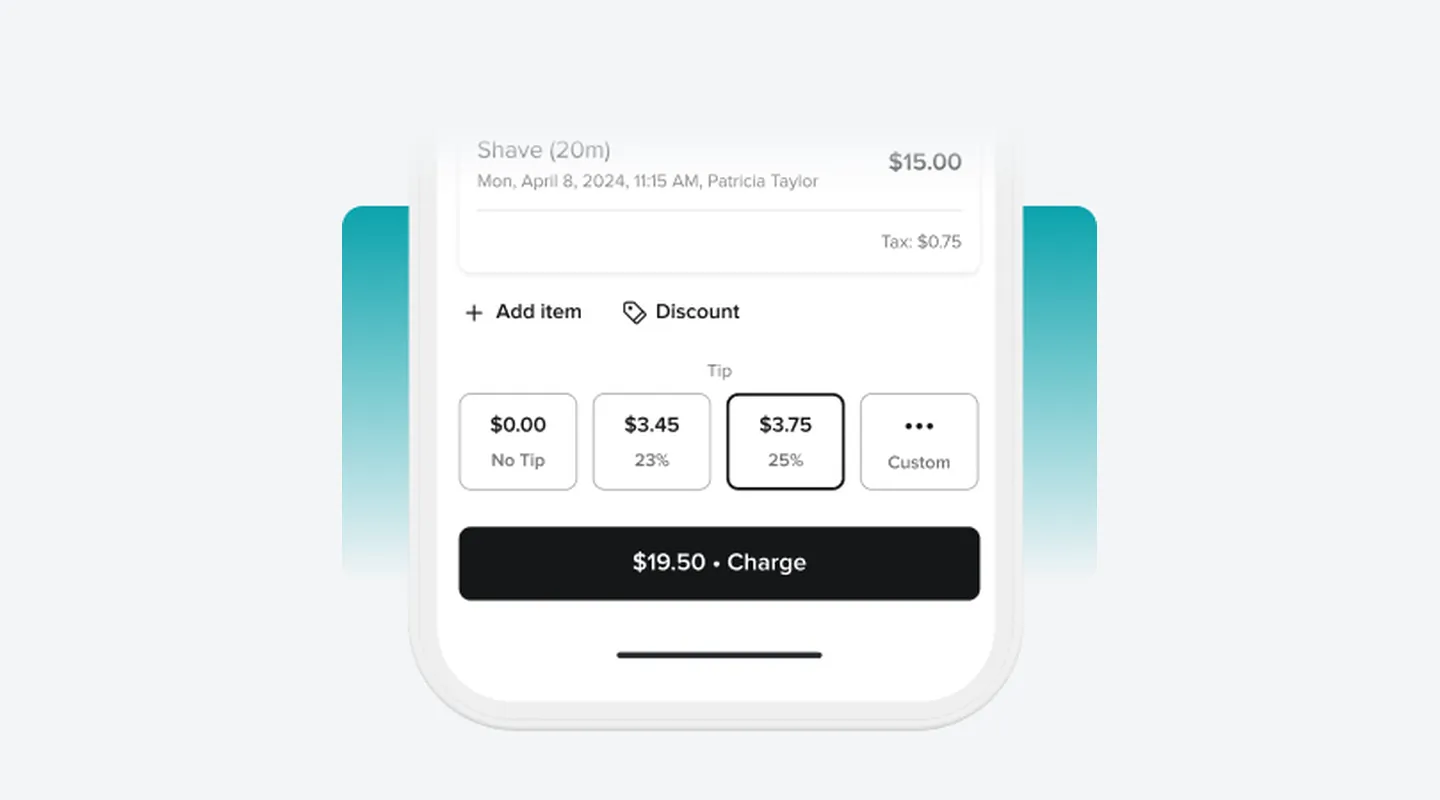
- Supported: Deposits, cancellation fees and a cancellation policy through No-Show Protection
- Limitation: Multi-location billing is not documented on the pricing page
Clients and Marketing
- Supported: Client cards, notes, custom forms and liability waivers
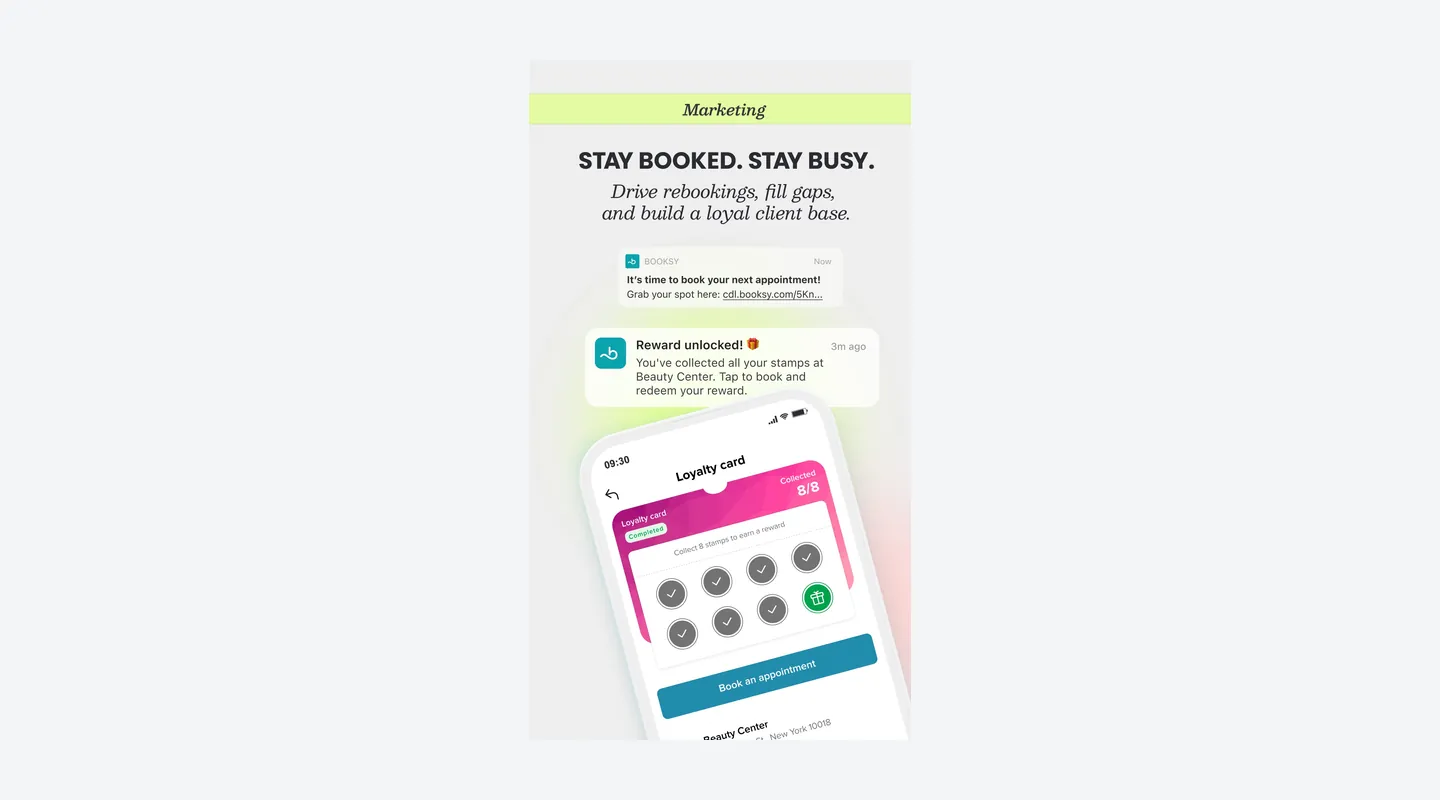
- Supported: Email and SMS campaigns, automated marketing, promotions and loyalty cards
- Supported: Gift cards, memberships and packages
- Supported: A free Booksy Marketplace listing, with optional Boost
- Limitation: The SMS rate after 2,000 marketing texts a month is not published
Team and Payments
- Supported: Staff shifts, commissions and five permission levels
- Supported: Resources, inventory and a Shared Location setup for booth or suite renters
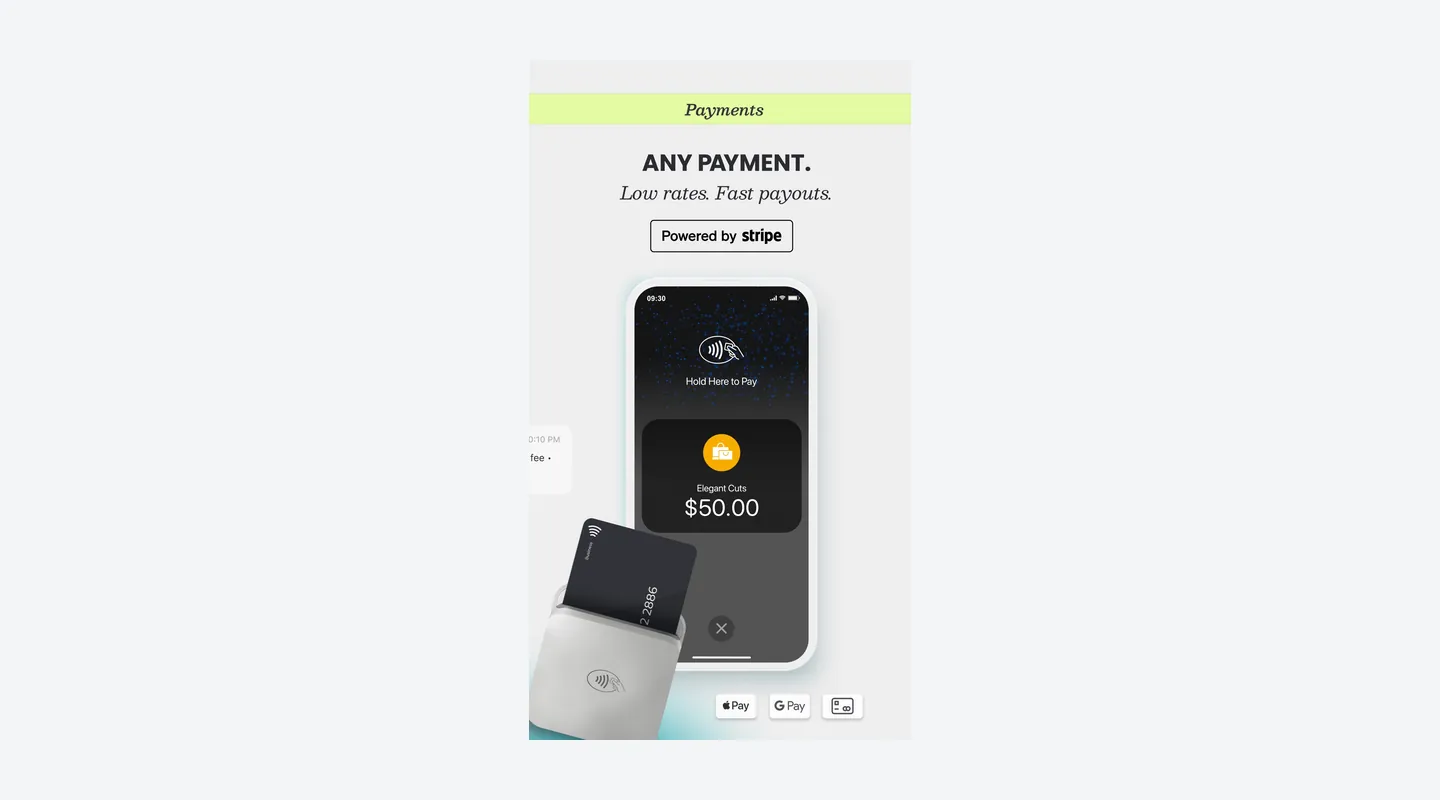
- Supported: Optional Booksy Payments: checkout, tips, Tap to Pay and the Booksy Card Reader
- Limitation: Payment processing and hardware are not included in the subscription
AI Receptionist (Beta)
- Available in beta: Answers calls in English or Spanish and books onto your Booksy calendar, for providers who request beta access
- Limitation: Appointments with No-Show Protection are not supported in this first version
- Limitation: Price after the launch offer is not published
See It in Action
Pros & Cons
- Pro: One US price includes every listed feature, with no plan tiers or paid feature upgrades
- Pro: 14-day free trial with no credit card, then month-to-month with no commitment
- Pro: Free Marketplace listing, with no commission on new clients while Boost is off
- Pro: 2,000 marketing texts a month included; appointment confirmations and reminders are always free
- Pro: Card payments are optional, with published rates and free next-business-day payouts
- Con: Each extra team member adds $20 a month, so larger teams pay more than on location-priced tools
- Con: Boost, if you turn it on, takes 30% of a Boost client’s first visit ($10 minimum and $100 cap under Booksy’s US help center)
- Con: Card processing, hardware, 1.5% Fast Payouts and $20 chargebacks cost extra; the SMS overage rate is not published
- Con: AI Receptionist is still in beta: providers request access, and its price after the launch offer is not published
- Con: Several reviewers report disputes over which new clients count as Boost clients
Setup & Migration
- Data Import
Free, done for you
Contract & Cancelling
- Contract
Monthly, cancel anytime
- Cancellation Fee
No cancellation fee or commitment is listed: Booksy is a monthly subscription that you can cancel anytime, according to the US pricing FAQ.
Support
- Channels
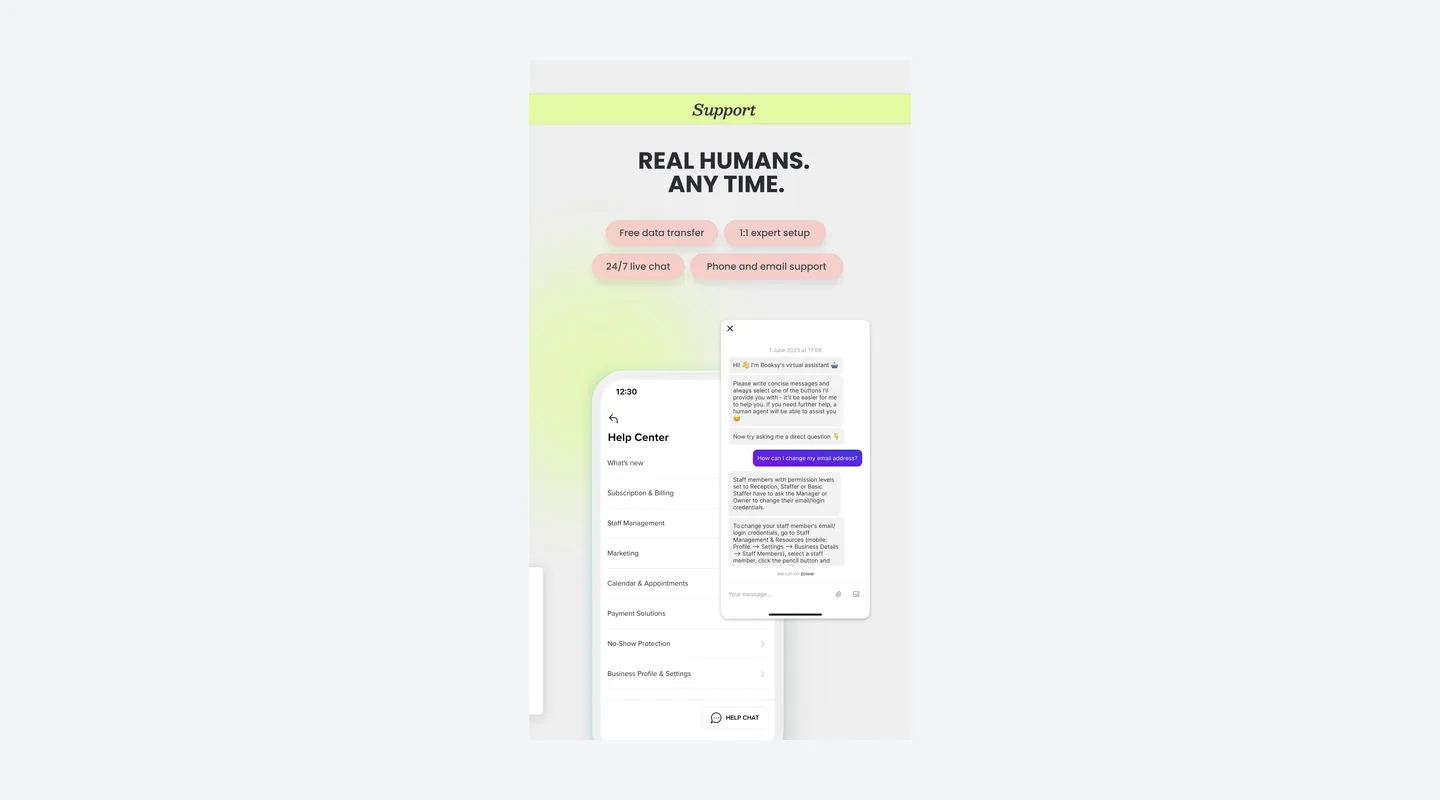
Email, Live chat, Phone, Help center
- Hours
24/7 live chat; phone and email support during business hours, according to Booksy’s App Store listing. Phone hours are not published.
- Users Say
Official App Store Biz screenshot 9 (14 Nov 2026) advertises 24/7 live chat, phone and email support, free data transfer and 1:1 expert setup. Capterra lists email/help desk, knowledge base, phone, 24/7 live representatives and chat. Reviewer sentiment is mixed: some praise fast, friendly help; others describe chat that becomes slow email, long waits, or unresolved account and payout issues.
Integrations & Security
- Works With
Instagram and Facebook Book Now buttons, Reserve with Google (Search and Maps), website booking widget, QR code, Booksy Profile Link, Apple Pay and Google Pay at checkout, and Stripe-powered Booksy Payments
- Data Stored In
Not independently verified. Booksy says on the US home-page FAQ that it uses bank-grade encryption, is PCI-compliant, and processes payments through Stripe. The legal entity on the US App Store listing is Booksy International. Data-residency country for business records was not published on the pages checked.
What Users Say
What Reviewers Liked
- Liked: Clients can book anytime, even after hours — several reviews, including a salon owner and a stylist (2024–2026). [Capterra, G2]
- Liked: Easy to use, with booking, payments and reminders in one app — several reviews (2025–2026). Capterra
- Liked: Good value for what you get — a few reviews from a stylist and a barber (2026). Capterra
Concerns Reviewers Raised
- Concern: Disputes over Boost commissions on clients they see as their own, with charges described differently from Booksy’s published terms — a few reviews (2025–2026). Capterra
- Concern: Slow customer support, with chat turning into email — several reviews (2026). Capterra
- Concern: Confusing backend setup or calendar navigation — a few reviews (2025–2026). Capterra
- Concern: Commission and subscription costs add up or feel higher than similar tools — a few reviews (2025–2026). Capterra
- Concern: Payment, checkout or card-on-file glitches — a few reviews (2023–2025). [Capterra, G2]
Qualitative summary: based on 17 reviews we read, dated 2023–2026, on Capterra (4.4/5 from 483 reviews, shared with GetApp and Software Advice and counted once) and G2 (4.8/5 from only 9 reviews, a small sample; G2 leaves guest reviews out of its score). Several Capterra reviewers were invited by Booksy and received a gift card, and some reviews read as written by clients rather than businesses. Some reviewers describe Boost charges that differ from Booksy’s published terms. This is not a representative survey or hands-on testing by Tool Checked.
FAQ
How much does Booksy cost?
In the US, Booksy is $29.99 a month for the first user plus $20 a month for each additional team member, plus tax. The pricing page says every listed feature is included, with no higher tiers. It is month-to-month with no commitment, and you can cancel anytime. Card processing, hardware and Boost are extra.
SourceWhat is Boost, and how much does it cost?
Boost is an optional tool that promotes you on the Booksy Marketplace. It is free to turn on and has no monthly fee. When a new client books you through Boost, Booksy charges a one-time commission on that first visit: its US help center sets 30% per service, with a $10 minimum and a $100 cap. Add-ons are not included, tips stay with you, and there is no fee if you mark a no-show the same day. The US pricing page says 30% of the visit’s total cost, up to $100, and does not mention the minimum.
SourceDoes Booksy charge a fee for every new client?
No. The pricing FAQ says Booksy charges no commission for new clients who find you through your own marketing or online, or on Booksy while Boost is off. To avoid Boost fees on your own clients, share your Booksy Profile Link, point your Instagram and Facebook Book Now buttons to it, and add walk-ins to your client list.
SourceWhat are Booksy’s card processing rates?
If you process payments on Booksy, US rates are 2.69% + $0.30 for mobile payments and keyed-in cards, 2.49% + $0.10 on the Booksy Card Reader and 2.49% + $0.20 with Tap to Pay. Next-business-day payouts are free and 30-minute Fast Payouts cost 1.5%. Chargebacks cost $20, refunds carry the same processing fees, and there is no setup or monthly payment fee.
SourceIs there a free plan or a free trial?
There is no $0 plan. Booksy offers a 14-day free trial with no credit card or commitment required, and you can start taking bookings right away.
SourceAre marketing texts included?
Yes. The subscription includes 2,000 free SMS marketing messages a month, and appointment confirmations and reminders are always free. The rate after 2,000 marketing texts is not published.
SourceDo I have to use Booksy Payments?
No. Payments are built in but optional, and processing fees apply only if you process payments on Booksy. Booksy’s homepage notes that payment processing and hardware are not included in the $29.99 price. Payments run through Stripe.
SourceIs the AI Receptionist included?
Not as a generally available feature. Booksy’s AI Receptionist page says it is in beta: current providers can request access, and the first 500 to sign up get it free for at least 12 months, with no published price after that. It answers in English or Spanish and books onto your calendar, but it cannot yet book appointments that use No-Show Protection.
SourceWhat hardware do I need, and can I take deposits?
Tap to Pay works on your phone with no extra terminal. Optional readers are the Stripe Reader M2 at $53.10 and the Stripe Reader S710 at $299, plus shipping. Deposits, cancellation fees and a cancellation policy come with No-Show Protection, and those payments are charged at 2.69% + $0.30.
SourceSources & How We Rate
- Booksy pricing page — Checked 14 Nov 2026
- Booksy for business — Checked 14 Nov 2026
- Booksy features — Checked 14 Nov 2026
- Booksy Payments — Checked 14 Nov 2026
- Boost — Checked 14 Nov 2026
- Booksy Card Reader — Checked 14 Nov 2026
- Tap to Pay — Checked 14 Nov 2026
- Marketing tools — Checked 14 Nov 2026
- Booksy Marketplace — Checked 14 Nov 2026
- Online booking — Checked 14 Nov 2026
- Calendar and scheduling — Checked 14 Nov 2026
- No-Show Protection — Checked 14 Nov 2026
- AI Receptionist (beta) — Checked 14 Nov 2026
- Booksy client app — Checked 14 Nov 2026
- Booksy fee / payments policy — Checked 14 Nov 2026
- How Boost pricing works (help center) — Checked 14 Nov 2026
- Preventing Boost charges (help center) — Checked 14 Nov 2026
- Boost and add-ons (help center) — Checked 14 Nov 2026
- App Store: Booksy Biz — Checked 14 Nov 2026
- Capterra: Booksy — Checked 14 Nov 2026
- Capterra reviews: Booksy — Checked 14 Nov 2026
- G2 reviews: Booksy Biz — Checked 14 Nov 2026
Scores are never for sale. Some links are affiliate links (marked), which may earn us a commission at no cost to you.
Sponsored listings are always labeled. Our Methodology