
Countertop POS and card payments for salons and spas, with booking on Growth plans
Is Clover Worth It?
Clover is worth considering if you run a US salon, spa or barbershop and want a countertop POS with card payments and, on the right plan, built-in appointment booking. On Clover.com, the Standard bundle is a Mini for $849 plus Services Growth software at $84.95 a month, with in-person cards at 2.3% + $0.10 and keyed-in cards at 3.5% + $0.10. Booking, reminders and no-show fees come only with Services Growth (Standard or Advanced), not with Basic. You can also take the hardware on a 36-month subscription at $16 to $180 a month, but Clover.com describes subscriptions as non-cancelable, and termination fees vary by provider with no published amount. These prices apply only on Clover.com; banks and resellers can set their own plans and fees. Capterra and G2 each show 3.8/5, with recurring complaints about contracts, add-on costs and support. We have not hands-on tested the product; this verdict is based on Clover.com’s US pricing pages, pricing FAQ and reviews checked on 14 Nov 2026.
Who It’s For
Good Fit If…
- Good Fit: You run a US salon, spa or barbershop and want a countertop POS with flat, published card rates
- Good Fit: You want booking, reminders and no-show fees in the same system as checkout, on Services Growth
- Good Fit: You can buy the hardware outright, or accept a 36-month non-cancelable subscription
- Good Fit: You sell retail products and want inventory and detailed sales reports (Services Growth)
- Good Fit: You want individual staff logins without a per-employee fee
Not a Fit If…
- Not a Fit: You need a hardware plan with no commitment; Clover.com subscriptions are non-cancelable
- Not a Fit: You want booking on the lowest-cost Basic bundle, which has no appointment tools
- Not a Fit: You are buying from a bank or reseller and expect Clover.com prices to apply
- Not a Fit: You need built-in loyalty or promotions, published per-device prices or confirmed HIPAA coverage
- Not a Fit: You need a verified hands-on Tool Checked product test or ranked score before deciding (not published on this profile)
Business types: Barbershop · Beauty & Wellness · Day Spa · Hair Salon · Lash & Brow · Makeup Artist · Massage Studio · Med Spa · Nail Salon · Skin Care & Esthetician · Tanning Salon · Tattoo & Piercing
Pricing & Total Cost
| Plan | Price (USD) | Staff | Includes |
|---|---|---|---|
| Basic (Compact + Starter) | $349 one-time Compact hardware; no separate monthly software fee is listed on Clover.com when bought outright, or $16/mo for 36 months | Individual logins and permissions included; no per-employee fee is listed on the Personal Services table |
|
| Standard (Mini + Services Growth) | $84.95 /month software when the Mini is purchased outright (US, Clover.com) | Individual logins and permissions included; shift management included; no per-employee fee is listed on the Personal Services table |
|
| Advanced (Station Duo + Services Growth) | $84.95 /month software when Station Duo is purchased outright (US, Clover.com) | Same Services Growth software as Standard |
|
- Card processing 2.3% + $0.10 (built-in processor required)
- Prices are US Clover.com list prices and apply only on Clover.com. Tax and shipping are not published.
- The calculator uses the Standard bundle bought outright: a one-time $849 Mini plus Services Growth at $84.95 a month, and the Services Growth in-person card rate of 2.3% + $0.10. Keyed-in cards cost 3.5% + $0.10 on every bundle, and Basic in-person cards cost 2.6% + $0.10. The 36-month subscription prices are not added on top of the purchase price.
- Hardware on a 36-month subscription costs $16 (Basic), $130 (Standard) or $180 (Advanced) a month instead. Completed in full, that is $576 vs $349 for Basic, $4,680 vs $3,907.20 for Standard and $6,480 vs $4,957.20 for Advanced, compared with buying outright and paying Services Growth for 36 months.
- Clover.com subscriptions are non-cancelable and ineligible for refunds; they can be paid off at any time or broken in a buyout or upgrade. Termination fees vary by provider, and no official amount is published. At the end of the term, the charge continues at the same monthly rate unless you give at least 30 days’ notice to buy or return the equipment.
- Rapid Deposit, to receive card sales within minutes, is an optional 1.75% fee.
- A cash drawer (Standard), swivel stand, payroll integrations and App Market add-ons are extra, with no prices published on the Personal Services page.
- Clover Care device protection is optional and priced once per device; the amount is not published.
- The 90-day software trial is a promotion for qualified merchants on Essentials or Services Growth, valid 5 March to 31 December 2026; standard monthly fees apply afterwards.
- If you buy from a bank or reseller, plans, rates and termination terms can differ from Clover.com.
Pricing shown for the US market in USD; local pricing and taxes may vary.
Real Cost by Business Size
| Business Size | Cost Items | Monthly Total | 12-Month Total | Assumptions |
|---|---|---|---|---|
| Basic — Compact purchased outright, Starter software, subscription only |
| $0 | $349 | US Clover.com list price: Compact $349 once. No separate monthly Starter software fee is listed on the Personal Services table. No card volume, Rapid Deposit, accessories, Clover Care, tax or shipping modeled. Checked 14 Nov 2026. Illustrative only, not observed spending. The 12-month figure is the one-time hardware cost in year 1. Source |
| Standard — Mini purchased outright + Services Growth (calculator plan) |
| $84.95 | $1,868.40 | Mini $849 once plus Services Growth $84.95/month. No card volume, Rapid Deposit, cash drawer, Clover Care, tax or shipping. US Clover.com prices checked 14 Nov 2026. Illustrative only. The 36-month $130/month subscription option is not added on top of the $849. Source |
| Advanced — Station Duo purchased outright + Services Growth |
| $84.95 | $2,918.40 | Station Duo $1,899 once plus Services Growth $84.95/month. Same exclusions as the Standard scenario. Illustrative only. The $180/month × 36-month path is not added on top of the $1,899. Source |
Which Plan Should You Pick?
| Plan | Pick It If… | Upgrade When… |
|---|---|---|
| Basic (Compact + Starter) | You only need to take payments on a Compact terminal and do not need online booking or a services catalog. | You need appointment management, online booking, inventory, detailed reports or shift management (those are on Services Growth). |
| Standard (Mini + Services Growth) | You run a salon, spa or barber shop that wants built-in appointment tools plus a countertop Mini, and you prefer to buy the hardware outright and pay monthly software. | You need a customer-facing 8-inch display (Advanced / Station Duo) or features that are still not included (loyalty and promotions are listed as not included on all three Personal Services bundles). |
| Advanced (Station Duo + Services Growth) | You want a dual-screen counter station and the same Growth appointment tools as Standard. | Not a higher software tier — only the hardware changes versus Standard. |
Price History
| Checked | Plan | Price | Source |
|---|---|---|---|
| 14 Nov 2026 | Services Growth | $84.95 /month software with hardware bought outright (US, Clover.com only) | Source |
Features
| Feature | Basic (Compact + Starter) | Standard (Mini + Services Growth) | Advanced (Station Duo + Services Growth) | Notes |
|---|---|---|---|---|
| Take cards in person (tap, swipe, insert) and keyed-in payments | ✓ | ✓ | ✓ | Source |
| In-person card rate | – | – | – | Source |
| Keyed-in card rate | – | – | – | Source |
| Appointment management (catalog, online booking, email/SMS reminders, cancellation and no-show fees, Reserve with Google) | ✕ | ✓ | ✓ | Not offered as a priced add-on on this table; it is included only with Services Growth (Standard and Advanced). Source |
| Inventory, item variants, discounts, detailed reports, shift management | ✕ | ✓ | ✓ | Source |
| Customer database and Clover gift cards | ✓ | ✓ | ✓ | Source |
| Loyalty program, private feedback and promotions | ✕ | ✕ | ✕ | Source |
| Individual employee logins and permissions | ✓ | ✓ | ✓ | No per-employee price is listed on the Personal Services table. Source |
| Rapid Deposit | – | – | – | Source |
| Hardware on a 36-month subscription (alternative to outright purchase) | – | – | – | Clover.com pricing FAQ: subscriptions are non-cancelable and ineligible for refunds; they can be paid off or broken in a buyout or upgrade. Termination fees vary by Clover Direct vs bank/reseller partners and are not published as a single dollar amount. Source |
Features for Your Business
| Retail products & stock | ✓ |
What It Can and Can’t Do
Payments and Checkout
- Supported: Card payments by tap, swipe, insert or keyed-in, plus Apple Pay, Google Pay, PayPal, Venmo, cash, checks, invoices and recurring payments
- Supported: Customer database and Clover gift cards
- Supported: Optional Rapid Deposit for funds within minutes
- Limitation: Clover devices cannot be used with other payment processors
Appointments (Services Growth Only)
- Supported: Services catalog, booking by your team and client online booking
- Supported: Email and SMS reminders, cancellation and no-show fees, and Reserve with Google
- Limitation: Not included on Basic with Starter software, and not listed as an add-on for it
Team, Inventory and Reports
- Supported: Individual staff logins and permissions on every bundle
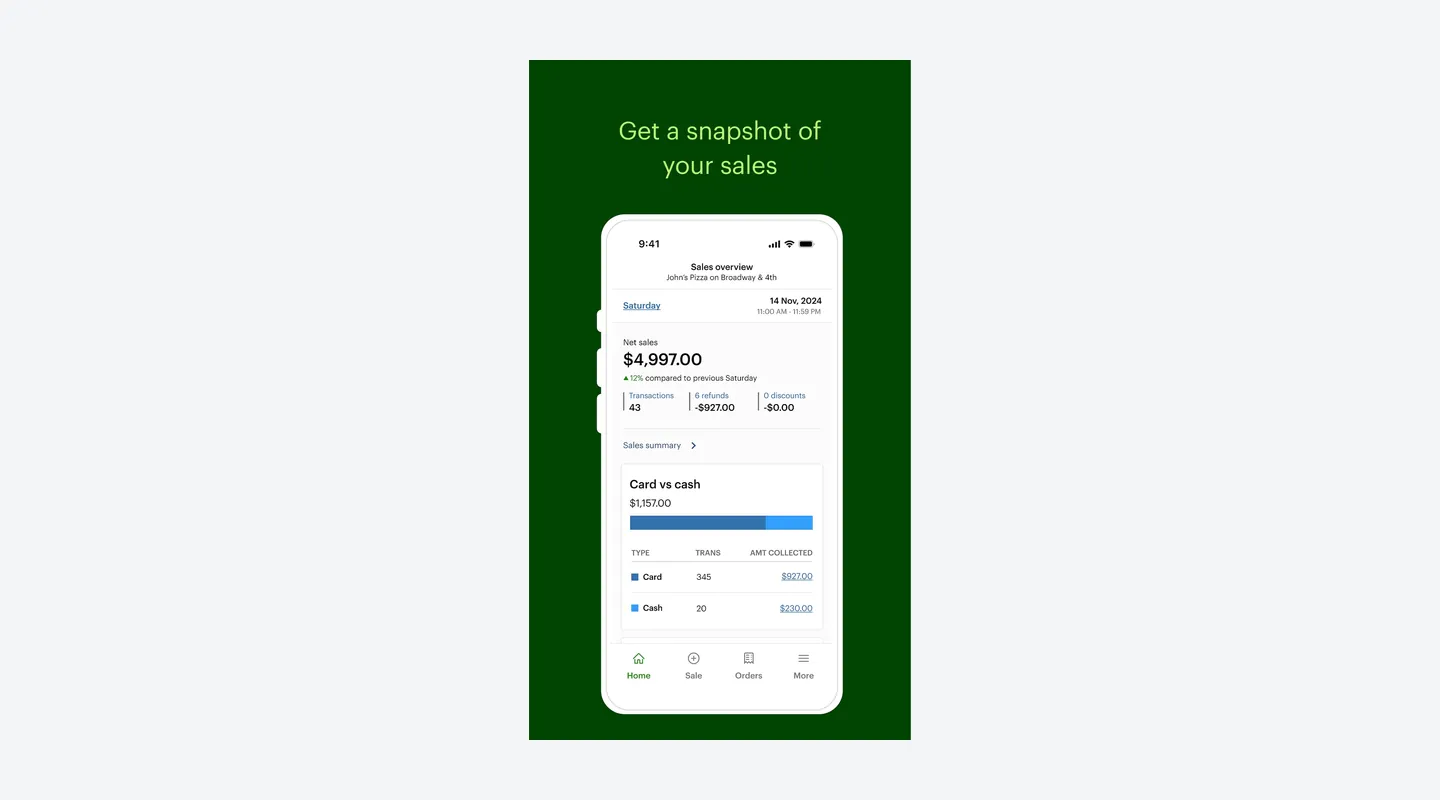
- Supported: Inventory, item variants, discounts, detailed sales reports, cost tracking and shift management on Services Growth
- Limitation: Loyalty, private feedback and promotions are not included in any Personal Services bundle
Apps and Support
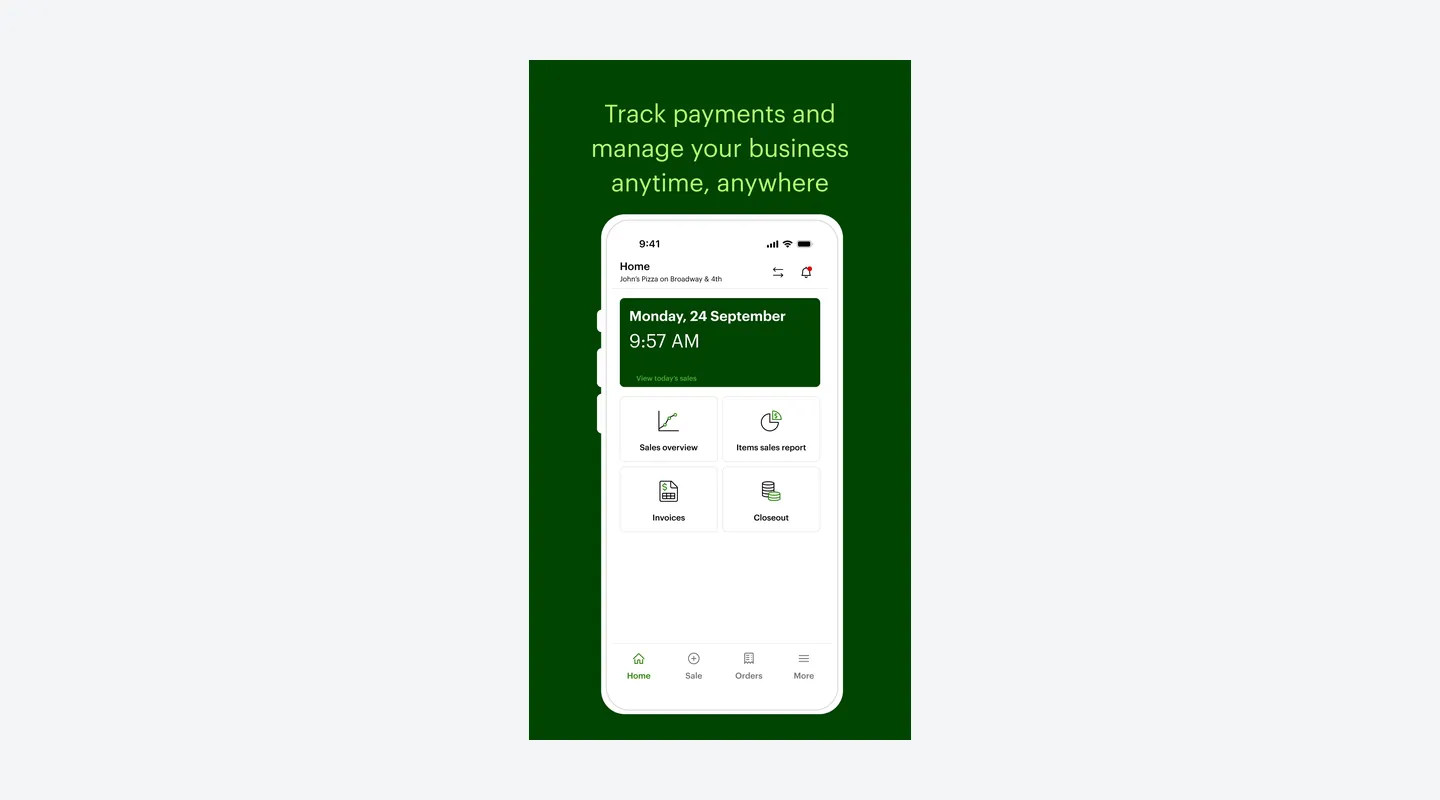
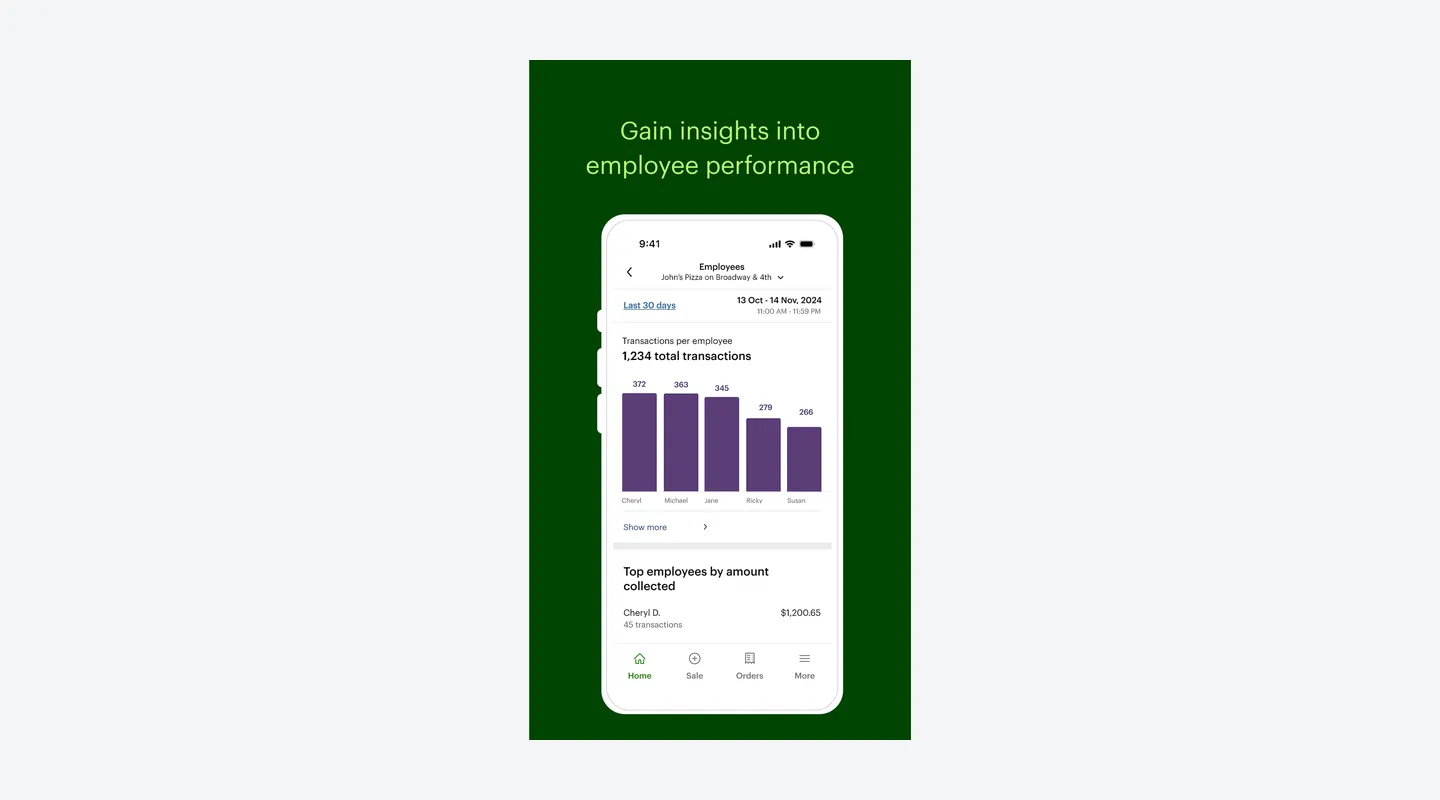
- Supported: Clover Go app on iPhone for sales tracking, employee performance and Tap to Pay on iPhone
- Supported: Phone and email support 24/7/365
- Limitation: Per-device and add-on app prices are not published
See It in Action
Pros & Cons
- Pro: Clover.com publishes hardware, software and card rates for each Personal Services bundle in one US table
- Pro: Services Growth (Standard and Advanced) adds appointment booking, client online booking, reminders, no-show fees and Reserve with Google
- Pro: Flat card rates: 2.3% + $0.10 in person on Services Growth and 3.5% + $0.10 keyed-in
- Pro: Individual staff logins and permissions are included, with no per-employee fee listed
- Pro: Phone and email support 24/7/365, according to Clover.com and the Clover Go App Store listing
- Con: Clover.com subscriptions are non-cancelable; termination fees vary by provider and no official amount is published
- Con: Booking is only on Services Growth ($84.95 a month); the Basic bundle with Starter software has no appointment tools
- Con: Completing a 36-month hardware subscription costs more than buying outright (Standard: $4,680 vs $3,907.20 over 36 months)
- Con: Prices apply only on Clover.com; banks and resellers can set different plans, rates and fees
- Con: Loyalty, private feedback and promotions are not included in any Personal Services bundle, and add-on prices are not published
Contract & Cancelling
- Contract
Custom contract
- Cancellation Fee
Clover.com subscriptions are non-cancelable and ineligible for refunds. Termination fees vary by provider (Clover Direct or a bank or other partner), and no official amount is published.
- How to Cancel
A Clover.com subscription can be paid off at any time, or broken in a buyout or upgrade. Before the term ends, give at least 30 days’ notice that you will buy or return the equipment; otherwise the term extends at the same monthly charge. If you bought from a bank or other partner, contact that provider.
Support
- Channels
Email, Phone, Help center
- Hours
Phone and email 24/7/365, plus an in-app call-back request (Clover.com pricing page and Clover Go App Store listing)
- Users Say
Clover.com and the official Clover Go listing advertise 24/7/365 support. Capterra lists email, knowledge base, phone, 24/7 live representatives and chat, and scores Customer Service 3.3/5 from 512 reviews (14 Nov 2026). Reviewers are split: some describe fast, helpful help; many describe long waits, transfers, missed callbacks, and difficulty with billing, returns or cancellation.
Integrations & Security
- Works With
Apple Pay, Google Pay, PayPal and Venmo at checkout, Reserve with Google (Services Growth appointments) and the Clover App Market. Clover devices cannot be used with other payment processors.
- Data Stored In
Not independently verified. Clover Network is listed as the App Store seller; G2 lists the seller as Fiserv. The official Clover Go description says every transaction is encrypted end-to-end. A data-residency country for merchant records was not published on the pages checked.
What Users Say
What Reviewers Liked
- Liked: Easy to use and to train staff on — several reviews, including a salon owner (2026). [Capterra, G2]
- Liked: Fast, reliable checkout and card payments — several reviews (2026). [Capterra, G2]
- Liked: Modern, professional-looking hardware — a few reviews (2026). Capterra
Concerns Reviewers Raised
- Concern: Hard-to-exit contracts, equipment rental obligations and trouble cancelling — a few reviews (2025–2026). Capterra
- Concern: Paid add-on apps stacking on top of hardware, software and processing costs — several reviews (2026). [Capterra, G2]
- Concern: Slow or inconsistent support for complex problems — a few reviews (2025–2026). Capterra
- Concern: Processing fees adding up or rising over time, including rates that differ from the Clover.com table — a few reviews (2025–2026). [Capterra, G2]
Qualitative summary: based on 11 reviews we read, dated 2025–2026, on Capterra (3.8/5 from 617 reviews, shared with GetApp and Software Advice and counted once) and G2 (3.8/5 from 109 reviews). Many come from restaurants, retail and other businesses rather than salons; one is from a salon owner. Some reviewers describe termination amounts or card rates that differ from Clover.com’s published table; those are individual experiences, possibly under bank or reseller contracts, not official fees. This is not a representative survey or hands-on testing by Tool Checked.
FAQ
How much does Clover cost for a salon or other personal-services business?
On Clover.com (US list prices), there are three Personal Services bundles. Basic is a Compact terminal for $349 outright or $16 a month for 36 months, with Starter software and no appointment tools. Standard is a Mini for $849 plus $84.95 a month for Services Growth, or $130 a month for 36 months. Advanced is a Station Duo for $1,899 plus $84.95 a month, or $180 a month for 36 months. These prices are only available on Clover.com; banks and resellers can price differently.
SourceShould I buy the hardware outright or pay monthly for 36 months?
Both are published on Clover.com. Completing the 36-month subscription costs more than buying outright and paying Services Growth for the same 36 months: Standard is $4,680 vs $3,907.20, Advanced $6,480 vs $4,957.20, and Basic $576 vs $349. Clover.com describes subscriptions as non-cancelable.
SourceCan I cancel, and what are the termination fees?
Clover.com’s pricing FAQ says subscriptions are non-cancelable and ineligible for refunds, but they can be paid off at any time or broken in a buyout or upgrade. At the end of the term you can buy or return the equipment; without at least 30 days’ notice, the term extends at the same monthly charge. Termination fees vary by provider, whether Clover Direct or a partner such as Citi, PNC or Wells Fargo, and no official amount is published.
SourceWhat are Clover’s card rates?
On the US Personal Services table, in-person rates (tap, swipe or insert) are 2.6% + $0.10 on Basic and 2.3% + $0.10 on Standard and Advanced (Services Growth). Keyed-in cards are 3.5% + $0.10 on all three. Rapid Deposit, to get funds within minutes, is an optional 1.75% fee. Bank or reseller contracts can have different rates.
SourceDoes Clover include appointment booking?
Only on Services Growth, which comes with the Standard and Advanced bundles. It includes a services catalog, booking by your team, client online booking, email and SMS reminders, cancellation and no-show fees, and Reserve with Google. Basic with Starter software does not include appointment tools, and they are not listed as an add-on for it.
SourceIs there a fee per extra employee or extra device?
Individual staff logins and permissions are included on all three bundles, with no per-employee price listed. A price for each additional device is not published. A cash drawer and swivel stand are optional add-ons on some bundles, and Clover Care device protection is priced once per device; none of these amounts are published on the pages checked.
SourceIs there a free trial?
Clover.com lists a promotion: 90 days with no software subscription fee for qualified merchants on Essentials or Services Growth, valid 5 March to 31 December 2026, one offer per business tax ID. Standard monthly fees apply after the trial, and eligibility is decided by First Data Merchant Services LLC. There is no free plan.
SourceDo Clover.com prices apply if I buy from a bank or reseller?
Not automatically. The Personal Services page says its prices are only available on Clover.com, and the pricing FAQ says partner institutions set their own plans and pricing. Clover devices cannot be used with other payment processors, so compare the contract you are offered with the Clover.com table.
SourceWhat support does Clover offer, and is it only for the US?
Clover.com and the Clover Go App Store listing say support is available 24/7/365 by phone or email, and you can request a call from within the app. The prices in this profile are US Clover.com list prices only.
SourceSources & How We Rate
- Clover pricing page — Checked 14 Nov 2026
- Clover fee / payments policy — Checked 14 Nov 2026
- Clover pricing and FAQ — Checked 14 Nov 2026
- Clover for personal services — Checked 14 Nov 2026
- Compare Clover service plans (help) — Checked 14 Nov 2026
- Clover Care — Checked 14 Nov 2026
- Clover intellectual property — Checked 14 Nov 2026
- Clover Flex pricing — Checked 14 Nov 2026
- Clover Mini pricing — Checked 14 Nov 2026
- App Store: Clover Go — Checked 14 Nov 2026
- Capterra: Clover — Checked 14 Nov 2026
- Capterra reviews: Clover — Checked 14 Nov 2026
- G2 reviews: Clover — Checked 14 Nov 2026
Scores are never for sale. Some links are affiliate links (marked), which may earn us a commission at no cost to you.
Sponsored listings are always labeled. Our Methodology