

Pay-as-you-go card payments and readers that salons use through other platforms
Is Stripe Worth It?
Stripe is worth considering if your US salon, spa or barbershop already runs appointments on another platform and you want published pay-as-you-go card rates. It is not booking software: salons usually reach it through a booking platform, and Booksy is the verified example in our data. Standard pricing has no setup or monthly fee. Domestic cards cost 2.7% + 5¢ in person and 2.9% + 30¢ online, the M2 reader is $59, and Tap to Pay on a compatible phone adds $0.10 per authorization instead of a reader. Keyed and international cards, currency conversion, Instant Payouts, disputes ($15 each), Invoicing and Billing cost extra. On Stripe Payments, Capterra shows 4.6/5 from 3,385 reviews and G2 4.2/5 from 467; reviewers praise easy setup and integration but criticize limited live support, fees and payout holds. Most reviewers are not salons. We have not hands-on tested the product; this verdict is based on Stripe’s US pricing, Terminal and docs pages and reviews checked on 14 Nov 2026.
Who It’s For
Good Fit If…
- Good Fit: You already book appointments on another platform and need a card processor, for example Booksy, which runs card payments through Stripe
- Good Fit: You want published flat card rates with no monthly or setup fee
- Good Fit: You take payments online, in person or both, and like the option of Tap to Pay without a reader
- Good Fit: You want a low-cost official reader (M2, $59)
- Good Fit: You or your platform can handle some technical setup for payments and readers
Not a Fit If…
- Not a Fit: You want booking, a calendar and checkout in one Stripe product; Stripe has no salon booking system
- Not a Fit: You expect a reader bought through a booking platform to cost Stripe’s list price; Booksy’s M2 price ($53.10 plus shipping) differs from Stripe’s $59
- Not a Fit: You need confirmed HIPAA coverage, which is not confirmed in our data
- Not a Fit: You have been quoted custom or Connect pricing, which this profile does not cover
- Not a Fit: You need a verified hands-on Tool Checked product test or ranked score before deciding (not published on this profile)
Business types: Barbershop · Beauty & Wellness · Day Spa · Hair Salon · Lash & Brow · Massage Studio · Med Spa · Nail Salon · Skin Care & Esthetician
Pricing & Total Cost
| Plan | Price (USD) | Staff | Includes |
|---|---|---|---|
| Standard (pay as you go) | Pay as you go — no monthly fee (no setup or monthly fee on standard US pricing) | No per-staff software fee is published on stripe.com/pricing for standard Payments or Terminal |
|
- Card processing 2.7% + $0.05 (built-in processor required)
- Prices are Stripe’s US standard prices on stripe.com/pricing. Custom and Connect pricing are not used.
- The calculator uses no monthly software fee ($0; this is pay as you go, not a free plan), the in-person Terminal rate of 2.7% + 5¢ for domestic cards and a one-time $59 Stripe Reader M2. Online cards (2.9% + 30¢), Tap to Pay, Instant Payouts, cellular data, Invoicing and Billing are not included.
- Online card extras: manually entered cards add 0.5% (3.4% + 30¢ domestic), international cards add 1.5%, and currency conversion adds 1% when required.
- In-person extras: international cards add 1.5%, Tap to Pay adds $0.10 per authorization and optional P2PE adds $0.05 per authorization. A separate keyed-in rate for in-person Terminal payments is not listed.
- Payouts on the standard schedule are free. Instant Payouts cost 1.5% (50¢ minimum), and new accounts are not immediately eligible.
- Disputes: $15 for each dispute received, a $15 countered fee if you respond manually (returned if you win) and a $15 appeal fee (not returned). Smart Disputes charges 30% of the disputed amount on disputes you win. Network fees may also apply.
- Other readers: S710 and S700 $299, T600 $329. Optional cellular data is $10 per reader per month. M2 accessories: dock $19, mount $5. Shipping is not published.
- Stripe Invoicing (Starter 0.4% or Plus 0.5% per paid invoice) and Stripe Billing (0.7% of Billing volume, or from $620 a month on a 1-year contract) sit on top of Payments fees.
- Bank payments: ACH Direct Debit is 0.8% with a $5.00 cap; Instant Bank Payments are a separate product at 2.60% + 30¢.
- Refunds: for most payment methods there is no fee to issue a refund, but the original processing and currency conversion fees are not returned.
Pricing shown for the US market in USD; local pricing and taxes may vary.
Real Cost by Business Size
| Business Size | Cost Items | Monthly Total | 12-Month Total | Assumptions |
|---|---|---|---|---|
| Illustration: in person with an M2 reader, $8,000 a month in card sales at an $80 average |
| $221 | $2,711 | Official US standard prices checked 14 Nov 2026. One Stripe Reader M2 at $59 once (no shipping or accessories). 100 successful domestic in-person card payments of $80: 2.7% + 5¢ = $221/month. No monthly software fee. No international cards, Tap to Pay surcharge, P2PE, Instant Payouts, invoicing add-on, tax or cellular data. Illustration only, not data from real users. Source |
| Illustration: the same $8,000 a month taken online at an $80 average |
| $262 | $3,144 | 100 successful domestic online card payments of $80 at 2.9% + 30¢ = $262/month. No reader. Illustration only, not data from real users. This uses the public online rate. Source |
| Illustration: the same $8,000 a month on Tap to Pay (no reader) at an $80 average |
| $231 | $2,772 | 100 successful domestic in-person authorizations: 2.7% + 5¢ plus $0.10 per Tap to Pay authorization = $231/month. Compatible iPhone or Android assumed already owned. Illustration only, not data from real users. Source |
Which Plan Should You Pick?
| Plan | Pick It If… | Upgrade When… |
|---|---|---|
| Standard (pay as you go) | You already have (or will use) another booking or POS system and want published US flat rates with no monthly software fee. | Custom pricing is offered for large payment volume or unusual business models, and eligibility varies by market. Connect platform pricing is different and not shown here. |
Price History
| Checked | Plan | Price | Source |
|---|---|---|---|
| 14 Nov 2026 | Standard (pay as you go) | Pay as you go — no monthly fee (/month software; 2.7% + 5¢ in person, 2.9% + 30¢ online (US domestic cards)) | Source |
Features
| Feature | Standard (pay as you go) | Notes |
|---|---|---|
| Monthly software fee (standard US pricing) | – | Source |
| Online domestic cards | – | Source |
| Manually entered cards (online section) | – | Source |
| International cards | – | Source |
| Currency conversion (when required) | – | Source |
| Terminal in-person domestic cards | – | Source |
| Tap to Pay | – | Source |
| Optional P2PE | – | Source |
| ACH Direct Debit | – | Source |
| Instant Bank Payments | – | Source |
| Standard payouts | – | Source |
| Instant Payouts | – | Source |
| Dispute received fee | – | Source |
| Lowest-priced official US reader | – | Source |
| Other official readers | – | Source |
| Stripe Invoicing (add-on product) | – | Source |
| Stripe Billing (add-on product) | – | Source |
Features for Your Business
| Retail products & stock | ✓ |
What It Can and Can’t Do
Online Payments
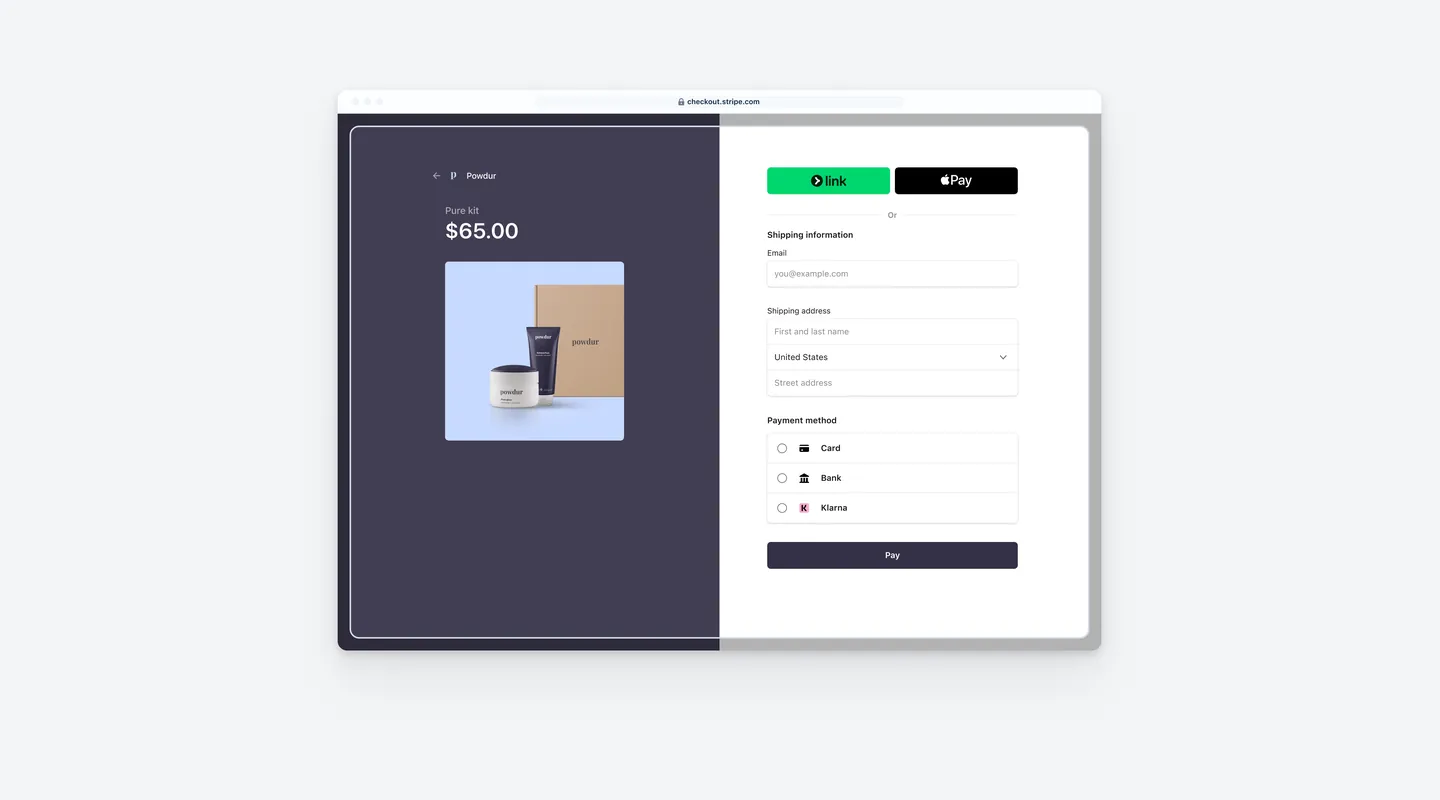
- Supported: Cards and digital wallets online, with hosted Checkout and no-code Payment Links
- Supported: Fraud protection with Radar Lite and 3D Secure customer authentication
- Limitation: No salon booking calendar or appointment tools
In-Person Payments (Terminal)
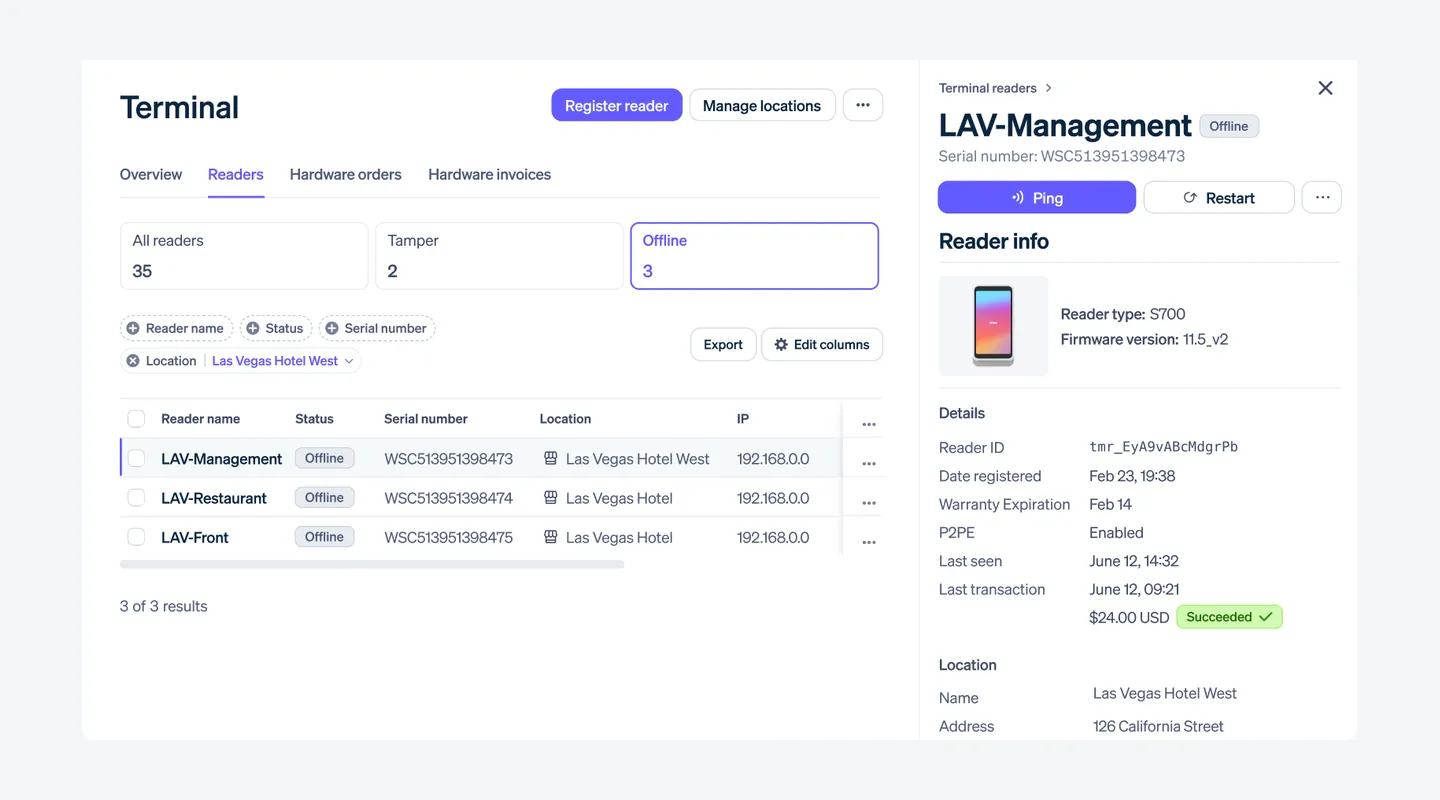
- Supported: Official readers: M2 ($59), S710 and S700 ($299), T600 ($329)
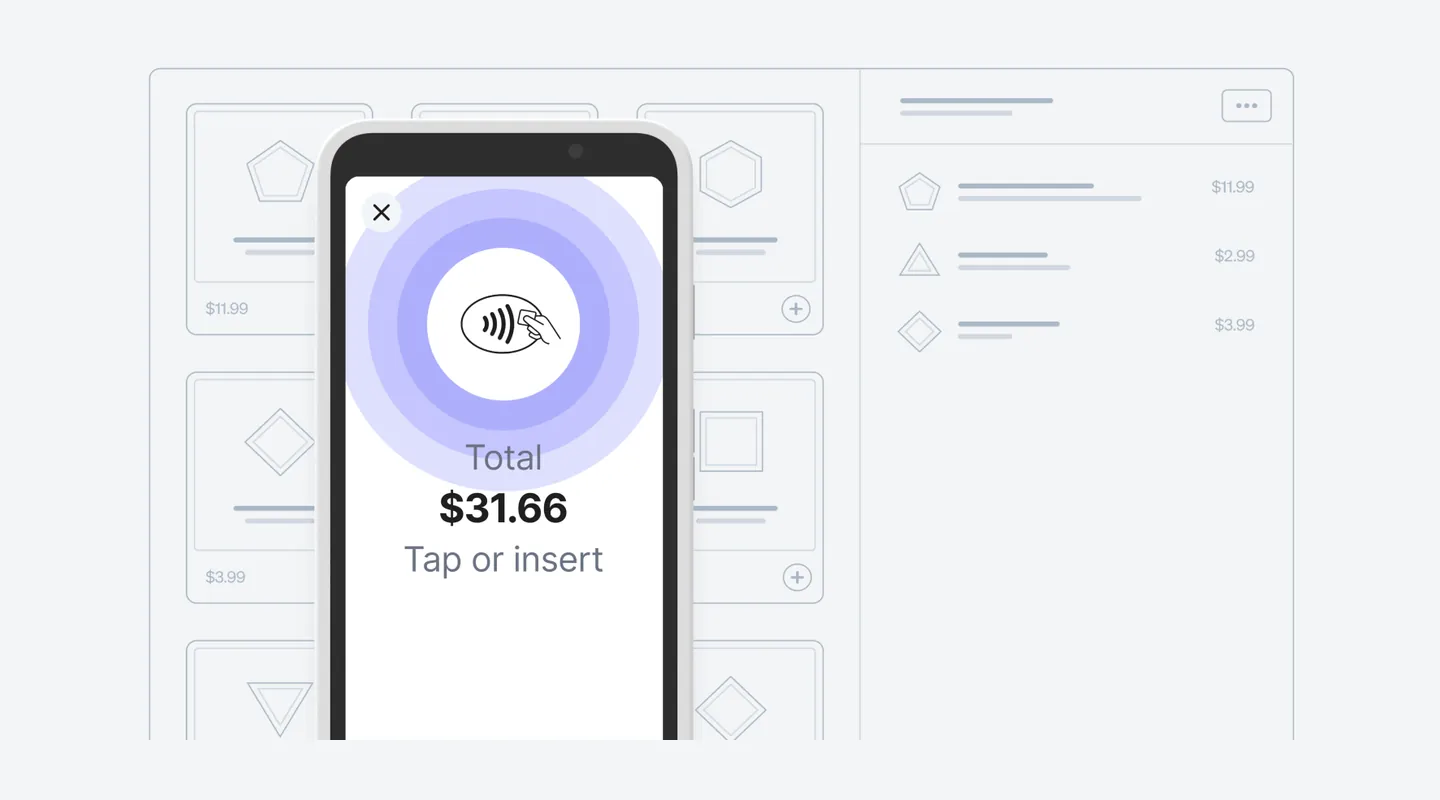
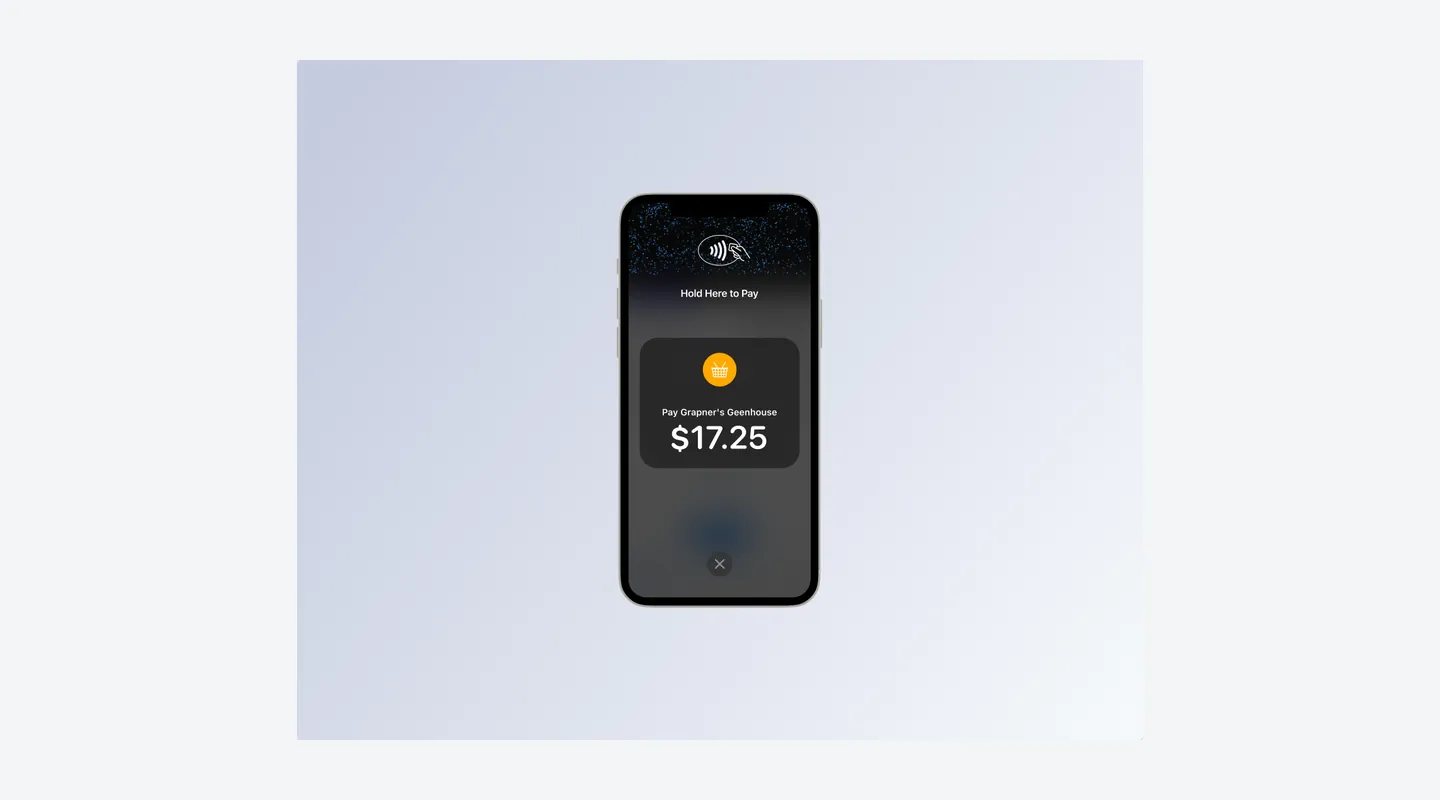
- Supported: Tap to Pay on a compatible iPhone or Android without a reader
- Supported: Hundreds of third-party POS integrations or a custom POS app
- Limitation: No simple Stripe salon POS app with appointments; salons use it through another platform
Bank Payments and Payouts
- Supported: ACH Direct Debit and Instant Bank Payments
- Supported: Free standard payouts, or Instant Payouts for eligible accounts
- Limitation: New accounts are not immediately eligible for Instant Payouts
Invoicing and Billing
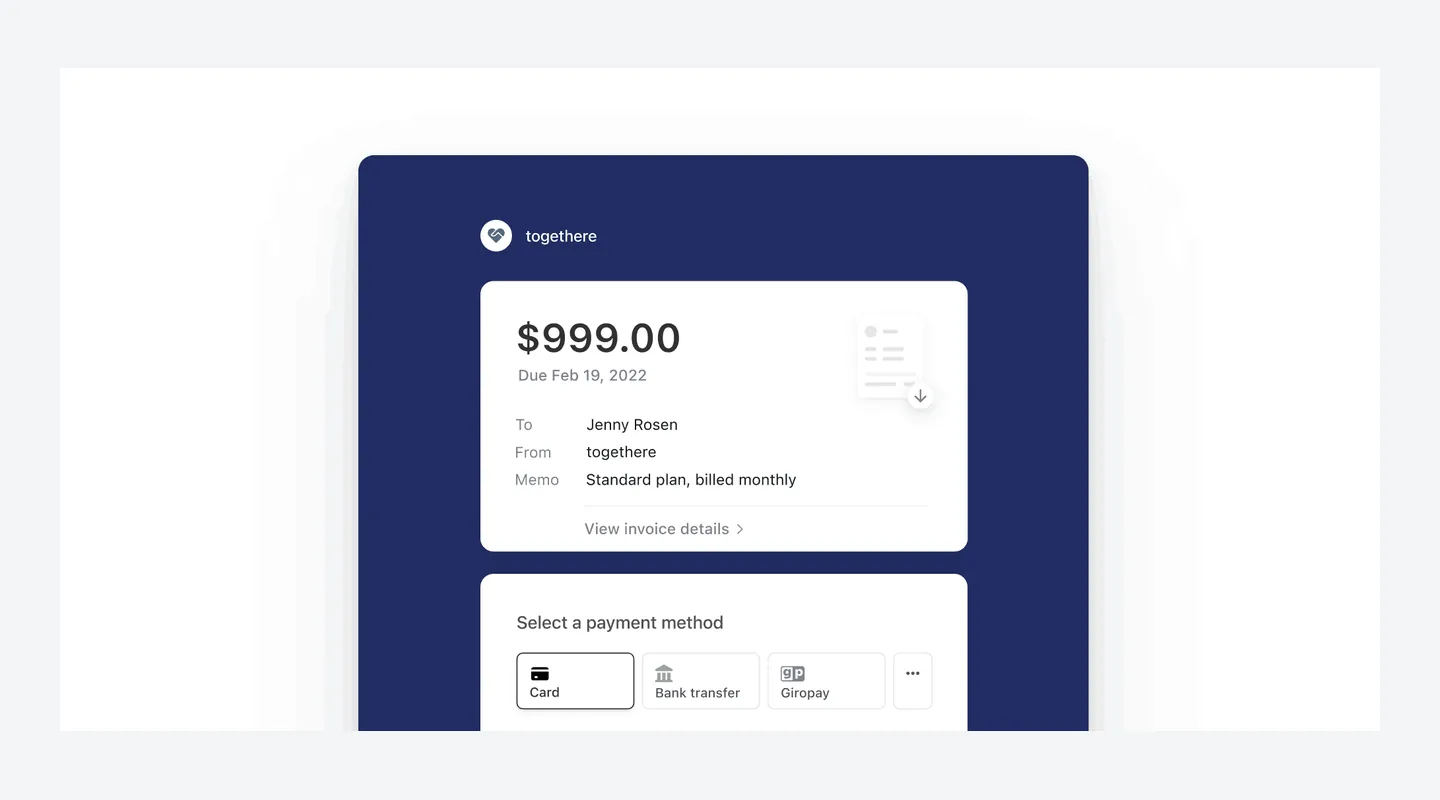
- Supported: Hosted invoices (Invoicing Starter or Plus)
- Supported: Subscriptions and recurring billing (Billing)
- Limitation: Not included in standard Payments pricing; they have their own fees
See It in Action
Pros & Cons
- Pro: No setup, monthly or closure fees on standard US pricing; you pay per successful payment
- Pro: Published flat rates for domestic cards: 2.7% + 5¢ in person and 2.9% + 30¢ online
- Pro: Tap to Pay takes contactless payments on a compatible iPhone or Android without a reader (+$0.10 per authorization), and the official M2 reader is $59
- Pro: Standard payouts are free, and ACH Direct Debit is 0.8% with a $5.00 cap
- Pro: Stripe’s pricing page lists 24x7 support by email, phone or chat, with email support in 6 languages
- Con: Stripe is not booking or salon management software; salons use it through another platform (Booksy is the verified example in our data)
- Con: Extra fees add up: manually entered online cards +0.5%, international cards +1.5%, currency conversion +1%, Tap to Pay +$0.10 per authorization and Instant Payouts 1.5%
- Con: Each dispute received costs $15, and responding manually or appealing can add another $15 each
- Con: Invoicing (0.4% or 0.5% per paid invoice) and Billing (0.7%, or from $620 a month on a 1-year contract) cost extra on top of Payments
- Con: Custom rates for large businesses are not published, and Connect platform pricing is different from the rates on this profile
Contract & Cancelling
- Contract
No contract (pay as you go)
- Cancellation Fee
Stripe’s pricing page says standard pricing has no setup fees, monthly fees or hidden fees such as closure fees. No early-termination amount is listed for pay-as-you-go payments. The optional Billing subscription runs on a 1-year contract with its own terms.
- How to Cancel
Standard Payments is pay as you go, with no monthly subscription to cancel. Payout and bank account settings are managed in the Stripe Dashboard; the exact steps to close an account were not checked for this profile. Billing subscriptions follow Stripe’s Billing terms.
Support
- Channels
Email, Live chat, Phone, Help center
- Hours
24x7 support by email, phone or chat, with email support in 6 languages (stripe.com/pricing)
Integrations & Security
- Works With
Stripe Terminal lists hundreds of third-party POS integrations, custom POS apps and Tap to Pay. In our verified data, Booksy processes card payments through Stripe and sells Stripe readers at its own prices.
What Users Say
What Reviewers Liked
- Liked: Easy setup and straightforward integration — several reviews (2026). [Capterra, G2]
- Liked: Reliable payments tracked from one dashboard, with useful reporting and payout tracking — a few reviews (2026). Capterra
- Liked: Simple, secure checkout for customers paying online — one small-business review (2026). G2
- Liked: Online and in-person payments on one platform — one Stripe Terminal review (2026). G2
Concerns Reviewers Raised
- Concern: Limited or poor live support when something goes wrong — a few reviews (2026). [Capterra, G2]
- Concern: Fees that feel high for small businesses — a few reviews (2026). [Capterra, G2]
- Concern: Payouts paused after a risk reserve was placed on the account — one review (2026). G2
- Concern: Technical setup suited to developers, with no simple Stripe POS app — one Stripe Terminal review (2026). G2
- Concern: Pricing hard to follow across countries and payment methods — one review (2026). G2
Qualitative summary: based on 8 reviews we read, dated 2026: 7 on Stripe Payments pages (Capterra 4.6/5 from 3,385 reviews, shared with GetApp and Software Advice and counted once; G2 4.2/5 from 467 reviews) and 1 on G2’s separate Stripe Terminal page, whose score is not used here. Most reviewers run online, software or other businesses, not salons. Amounts reviewers mention for held funds are their own accounts, not Stripe fees. This is not a representative survey or hands-on testing by Tool Checked.
FAQ
Is Stripe a booking or salon management system?
No. Stripe is a payments platform for online payments, invoicing and in-person card readers. It does not replace a salon booking calendar, so US salons usually accept Stripe through another platform. In our verified data, Booksy runs card payments through Stripe and sells Stripe Reader M2 and S710 on its own pricing page; Booksy’s M2 price ($53.10 plus shipping) is not Stripe’s $59 list price.
SourceHow much does Stripe cost a US salon each month?
On standard US pricing, Stripe charges no setup fee and no monthly fee. You pay per successful payment: 2.7% + 5¢ for domestic cards in person and 2.9% + 30¢ online. A card reader is optional and bought once: M2 $59, S710 and S700 $299, T600 $329. Optional cellular data is $10 per reader per month.
SourceWhat do keyed-in and international cards cost?
In the online cards section of Stripe’s pricing page, manually entered cards add 0.5% and international cards add 1.5%, plus 1% if currency conversion is required. In person, international cards add 1.5%. A separate keyed-in rate for in-person Terminal payments is not listed.
SourceDo I have to buy a card reader?
No. You can take online payments with no hardware, or accept contactless payments with Tap to Pay on a compatible iPhone or Android (+$0.10 per authorization). The M2 is Stripe’s lowest-priced official reader at $59 and is listed for the US; accessories such as the $19 dock and shipping are extra.
SourceWhat does Stripe charge for disputes and chargebacks?
Each dispute received costs $15, and network fees can apply in rare cases. If you respond manually, a further $15 countered fee applies and is returned if you win. An appeal costs $15 and is not returned even if you win. Smart Disputes charges 30% of the disputed amount on disputes you win.
SourceWhat do ACH payments and Instant Payouts cost?
ACH Direct Debit is 0.8% with a $5.00 cap per successful charge. Instant Bank Payments are a separate product at 2.60% + 30¢. Payouts on the standard schedule are free; Instant Payouts cost 1.5% of the amount (50¢ minimum), and new accounts are not immediately eligible.
SourceHow fast do payouts arrive in the US?
Stripe’s docs say the first payout is typically scheduled 7–14 days after your first successful live payment. For the United States, initial settlement is listed as 2 business days, then payouts follow the schedule you choose. Eligible Instant Payouts usually arrive within 30 minutes, including weekends.
SourceAre Invoicing and Billing included in the price?
No. They are separate products with fees on top of Payments. Invoicing Starter is 0.4% per paid invoice and Plus is 0.5%. Billing pay as you go is 0.7% of Billing volume (one-off invoices excluded), or a subscription from $620 a month on a 1-year contract.
SourceIs there a contract or a cancellation fee?
Stripe’s pricing page says standard pricing has no setup fees, monthly fees or hidden fees such as closure fees, and no early-termination amount is listed for pay-as-you-go payments. The optional Billing subscription is different: it runs on a 1-year contract with its own terms.
SourceSources & How We Rate
- Stripe pricing page — Checked 14 Nov 2026
- Stripe fee / payments policy — Checked 14 Nov 2026
- Stripe Payments — Checked 14 Nov 2026
- Stripe Terminal — Checked 14 Nov 2026
- Stripe Reader M2 — Checked 14 Nov 2026
- Stripe Reader S710 — Checked 14 Nov 2026
- Stripe US bank payments — Checked 14 Nov 2026
- Stripe Invoicing pricing — Checked 14 Nov 2026
- Stripe Billing pricing — Checked 14 Nov 2026
- Stripe Docs: Payouts — Checked 14 Nov 2026
- Stripe Docs: How disputes work — Checked 14 Nov 2026
- Stripe newsroom information — Checked 14 Nov 2026
- Capterra: Stripe Payments — Checked 14 Nov 2026
- Capterra reviews: Stripe Payments — Checked 14 Nov 2026
- G2 reviews: Stripe Payments — Checked 14 Nov 2026
Scores are never for sale. Some links are affiliate links (marked), which may earn us a commission at no cost to you.
Sponsored listings are always labeled. Our Methodology