

Card payments, a low-cost reader and salon bookings, with no monthly fee to start
Is SumUp Worth It?
SumUp is worth considering if you run a small US salon, barbershop, spa or studio that mostly takes cards in person and wants bookings in the same app without a monthly fee. The Standard plan has no monthly fee; in-person cards cost 2.6% + 10¢, the Plus reader lists at $54, and Tap to Pay on a compatible phone needs no reader. SumUp Bookings covers a booking website, confirmations and payment at booking or in person, while SMS reminders, deposits, cancellation and no-show fees and multiple calendars need POS Plus at $49 a month. Online, keyed-in and online booking payments cost 3.5% + 15¢, and invoices 2.90% + $0.15. Some prices differ across SumUp’s own pages, so we leave those figures out. Ratings rest on small samples: 4.8/5 from only 17 reviews on Capterra and 4.6/5 from only 24 on G2. We have not hands-on tested the product; this verdict is based on SumUp’s US pricing, hardware, Bookings and help pages and reviews checked on 14 Nov 2026.
Who It’s For
Good Fit If…
- Good Fit: You run a small US salon, barbershop, spa or studio and mostly take cards in person
- Good Fit: You want to start with no monthly fee and a low-cost reader or Tap to Pay
- Good Fit: You want a simple booking website in the same app as your payments
- Good Fit: You are happy to pay $49 a month for POS Plus if you need SMS reminders, deposits or no-show fees
- Good Fit: You will check the higher 3.5% + 15¢ rate before taking many online or keyed-in payments
Not a Fit If…
- Not a Fit: Your business is outside the United States; this profile uses US prices only
- Not a Fit: You need one clear published price for SumUp POS add-ons or payment links
- Not a Fit: You want a large body of independent reviews before deciding
- Not a Fit: You need confirmed HIPAA coverage, which was not found
- Not a Fit: You need a verified hands-on Tool Checked product test or ranked score before deciding (not published on this profile)
Business types: Barbershop · Beauty & Wellness · Day Spa · Hair Salon · Lash & Brow · Massage Studio · Med Spa · Nail Salon · Skin Care & Esthetician
Pricing & Total Cost
| Plan | Price (USD) | Staff | Includes |
|---|---|---|---|
| Standard | Pay as you go — no monthly fee (pay card fees and an optional one-time reader) |
| |
| POS Plus | $49 /month (no long-term commitment, according to SumUp) |
| |
| SumUp POS | $99 /month starting price; hardware from $869; a 12-month subscription footnote applies |
|
- Card processing 2.6% + $0.10 (built-in processor required)
- Prices are SumUp’s US list prices (sumup.com/en-us). Pricing pages for other countries are not used.
- The calculator uses the Standard plan with no monthly fee ($0; this is pay as you go, not a free plan), the in-person rate of 2.6% + 10¢ and a one-time $54 Plus reader. POS Plus ($49 a month), online and keyed-in cards (3.5% + 15¢), invoice payments and SumUp POS are not included.
- Online or manually entered cards cost 3.5% + 15¢, and online Bookings payments use the same rate. Invoice card payments cost 2.90% + $0.15.
- POS Plus at $49 a month adds multi-device sync, floor plans, cash drawer and profit tracking, and in Bookings multiple calendars, SMS reminders, deposits and cancellation or no-show fees.
- Other hardware: Solo $99 (sold out on 14 Nov 2026), Terminal $249 and POS Lite $499. Sale prices shown on some pages are not used. Readers come with a 30-day money-back guarantee and a 1-year warranty.
- SumUp POS starts at $99 a month with hardware from $869. Its Connect add-on prices differ between SumUp’s own pages, so they are not listed here, and SumUp POS pages carry a 12-month subscription footnote.
- Payment links are included, but SumUp’s pages state different rates for them, so we do not quote one.
- Payouts to a bank account take 1–2 business days after SumUp sends them; next-day payouts to the SumUp Business Account are free.
Pricing shown for the US market in USD; local pricing and taxes may vary.
Real Cost by Business Size
| Business Size | Cost Items | Monthly Total | 12-Month Total | Assumptions |
|---|---|---|---|---|
| Illustration: Standard plan with a Plus reader, $8,000 a month in person at an $80 average |
| $218 | $2,670 | US list prices, 14 Nov 2026. 100 in-person card payments of $80 at 2.6% + 10¢ = $218 a month. One-time Plus reader $54 (list price, not a sale price). No monthly fee, no online, keyed-in or invoice payments. Illustration only, not data from real users. Source |
| Illustration: POS Plus with a Plus reader, the same $8,000 a month in person |
| $267 | $3,258 | POS Plus $49 + card fees $218 = $267 a month, plus the $54 reader once. Card rates do not change on POS Plus. Illustration only, not data from real users. Source |
| Illustration: Standard plan on Tap to Pay (no reader), the same $8,000 a month in person |
| $218 | $2,616 | Tap to Pay needs no device; in-person fees are still 2.6% + 10¢ = $218 a month. Illustration only, not data from real users. Source |
Price History
| Checked | Plan | Price | Source |
|---|---|---|---|
| 14 Nov 2026 | Standard | Pay as you go — no monthly fee (2.6% + 10¢ in person; POS Plus $49/month) | Source |
Features
Features for Your Business
| Retail products & stock | ✓ |
What It Can and Can’t Do
Payments
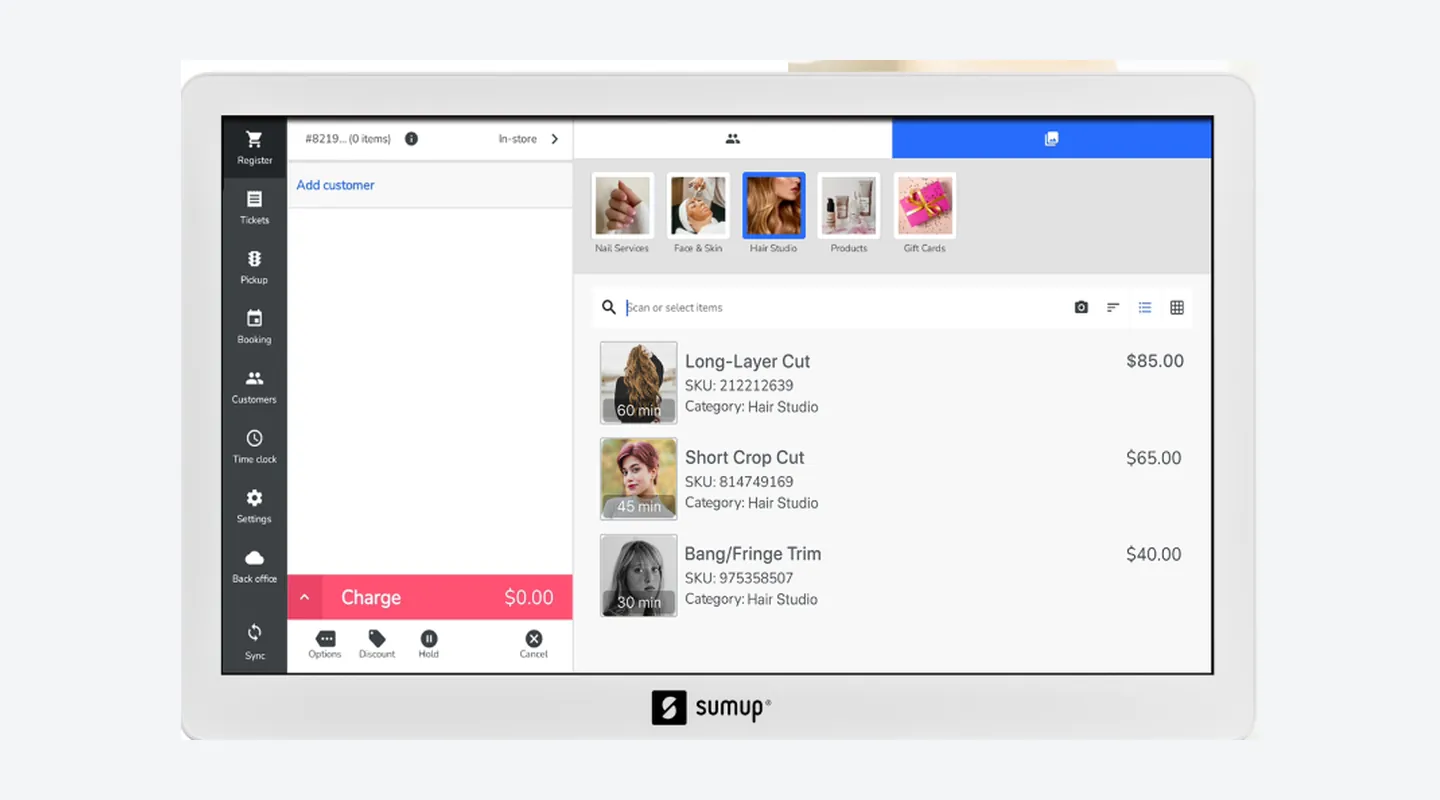
- Supported: In-person cards and wallets on Plus, Solo, Terminal, POS Lite and Tap to Pay at 2.6% + 10¢
- Supported: Online and keyed-in card payments at 3.5% + 15¢
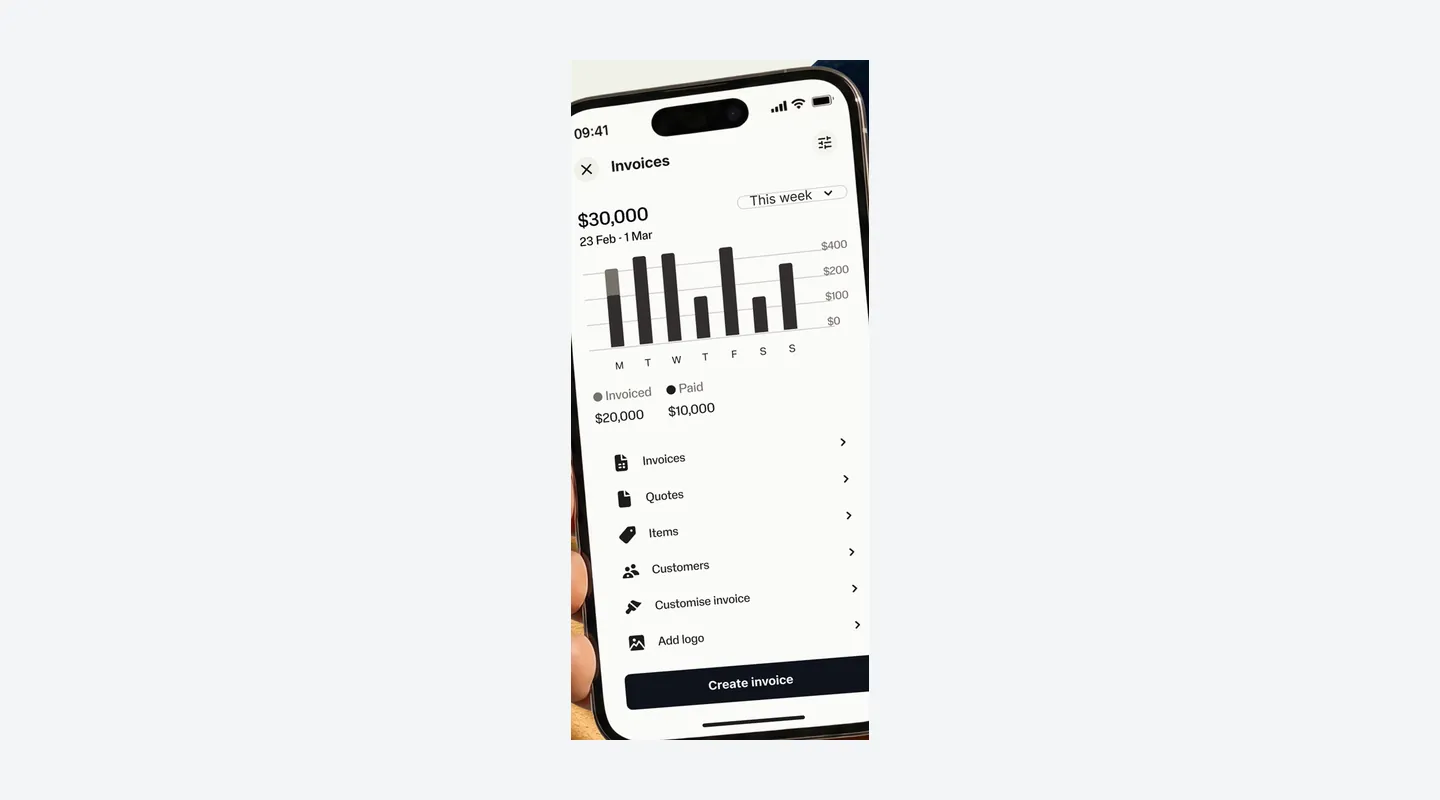
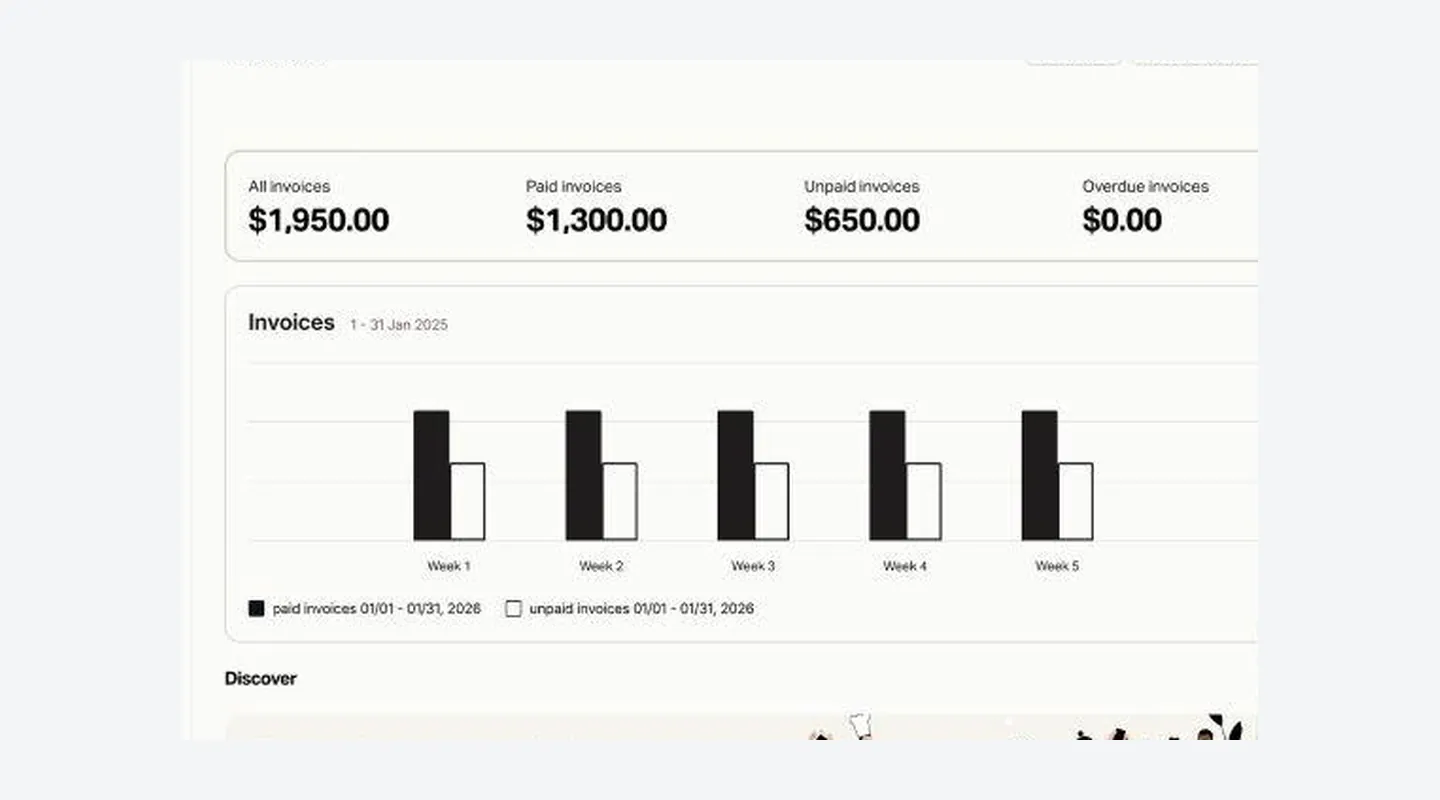
- Supported: Invoices paid by card at 2.90% + $0.15
- Supported: Payouts to a bank in 1–2 business days, or next day to the SumUp Business Account
- Limitation: No single published rate for payment links (SumUp’s pages differ)
- Limitation: HIPAA coverage was not found
Bookings
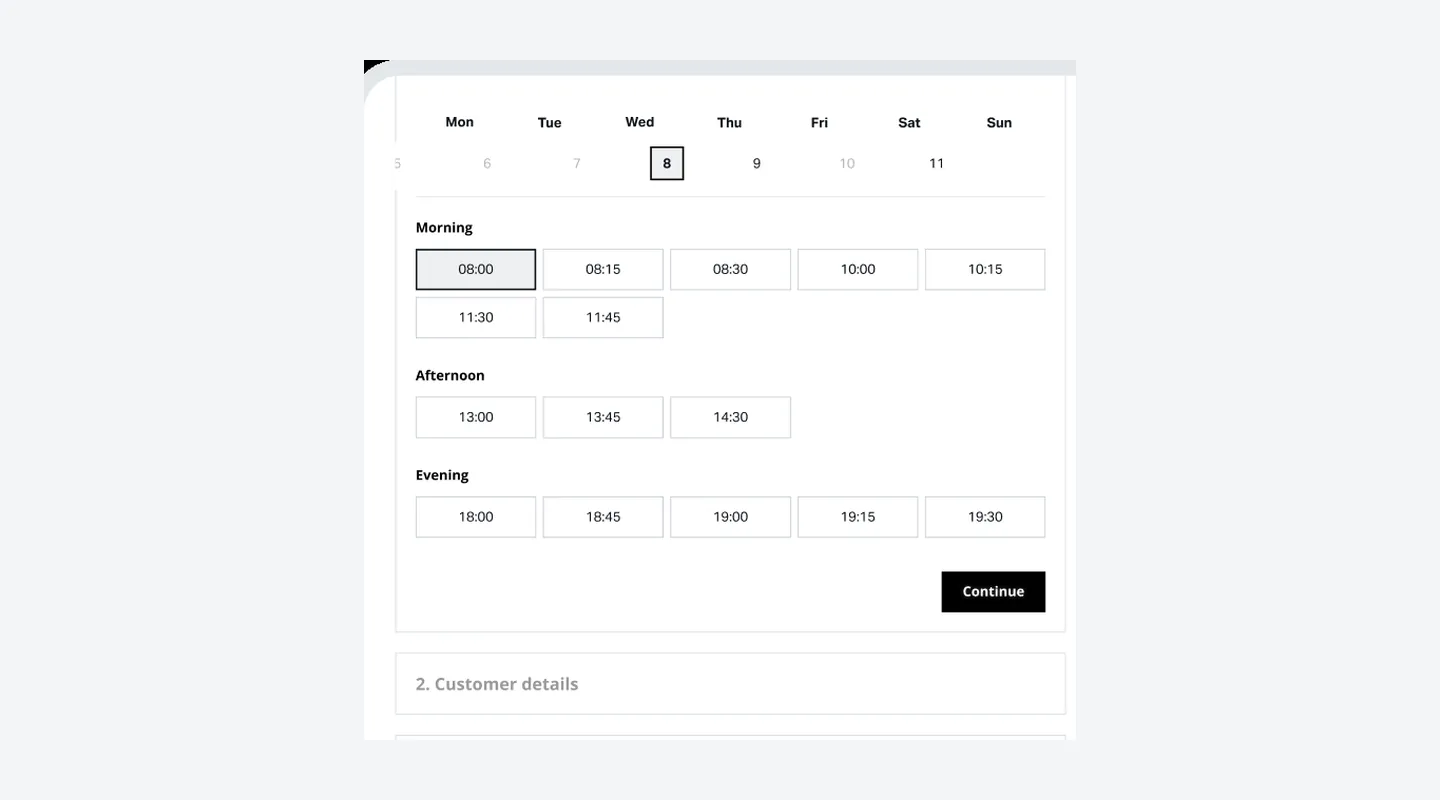
- Supported: Booking website, confirmations and payment online or in person, with no monthly fee
- Supported: Block time and mark no-shows
- Supported: With POS Plus: multiple calendars, SMS reminders, deposits and cancellation or no-show fees
- Limitation: SMS reminders, deposits and cancellation fees are not on the plan with no monthly fee
POS
- Supported: POS Plus ($49 a month): multi-device sync, floor plans, cash drawer and profit tracking
- Supported: SumUp POS for larger setups, from $99 a month with hardware from $869
- Limitation: SumUp POS add-on prices differ between SumUp’s pages and are not listed
See It in Action
Pros & Cons
- Pro: No monthly fee on the Standard plan; POS Plus is $49 a month with no long-term commitment
- Pro: Published in-person rate of 2.6% + 10¢ on every US plan checked, including Tap to Pay
- Pro: Low-cost hardware: the Plus reader lists at $54, and Tap to Pay on a compatible iPhone or Android needs no reader
- Pro: SumUp Bookings for hair, beauty, spa and wellness businesses starts with no monthly fee
- Pro: SumUp’s US help center says it adds no chargeback fee beyond the normal processing fee
- Con: Online and keyed-in cards cost more: 3.5% + 15¢, including online booking payments
- Con: SMS reminders, deposits, cancellation and no-show fees and multiple calendars in Bookings need POS Plus ($49 a month)
- Con: SumUp’s own pages disagree on some prices (Connect add-ons and payment links), so we do not list those
- Con: SumUp POS pages carry a “Requires a 12-month subscription” footnote whose scope is not clear
- Con: Independent ratings rest on small samples (17 reviews on Capterra, 24 on G2)
Setup & Migration
- Data Import
Not offered
Contract & Cancelling
- Contract
No contract on Standard (pay as you go); POS Plus monthly, no long-term commitment
- Cancellation Fee
No cancellation fee is published. There is no subscription on the Standard plan, and SumUp says POS Plus has no long-term commitments. SumUp POS pages carry a “Requires a 12-month subscription” footnote, and no early-termination amount was found.
- How to Cancel
SumUp says POS Plus can be cancelled anytime; the steps in the app were not checked for this profile. Readers can be returned within 30 days of delivery under the money-back guarantee.
Support
- Channels
Email, Live chat, Phone, Help center
- Hours
Card readers: 9 a.m.–7 p.m. ET, Monday–Friday (1-888-250-2164). POS: 9 a.m.–9 p.m. ET, seven days (1-877-648-0902). Email: support-usa@sumup.com
Integrations & Security
- Works With
SumUp’s US pages focus on its own Business app, readers, Bookings, Invoices, Business Account and POS. A third-party integration directory was not checked for this profile.
What Users Say
What Reviewers Liked
- Liked: Easy setup and simple card payments, including tap, insert and swipe — several reviews (2026). G2
- Liked: Payments and Bookings in one app for a nail technician — one review (2026). G2
- Liked: Next-day payouts and phone payments for a salon whose clients do not carry cash — one review (2026). G2
- Liked: Taking cards at markets and on the go so sales are not lost — a few reviews (2026). G2
- Liked: Easy to use and works with Apple Pay on a mobile reader — two older reviews (2023; dated, may not reflect SumUp today). Capterra
Concerns Reviewers Raised
- Concern: Payout timing varies: an early-evening cutoff for after-work clients, invoice payments that did not arrive next day, and payouts that slowed to three or four days — a few reviews (2026). G2
- Concern: Support experiences vary: slow phone support at times, or customer service named as the main weakness — two reviews (2026). G2
- Concern: Occasional Wi-Fi disconnects and a confusing tax-inclusive total on the device — two reviews (2026). G2
- Concern: No shortcut to the booking calendar from the main menu — one nail technician review (2026). G2
- Concern: A 3G card reader that was blocked and stopped working — one Plus reader review (2023; dated, may not reflect current readers). Capterra
Qualitative summary: based on 15 reviews we read on Capterra (SumUp Point of Sale, 4.8/5 from only 17 reviews, shared with GetApp and Software Advice and counted once; a separate Plus reader page shows 3.6/5 from only 5 reviews) and G2 (4.6/5 from only 24 reviews), dated 19 Jul 2023 to 1 Sep 2026 and checked 14 Nov 2026. These are small samples, and the scores are never averaged. Four of the 15 reviews are from 2023–2024 and may not reflect SumUp today, and a few come from businesses outside the US. Payout times in reviews are personal experiences, not SumUp’s official payout times. This is not a representative survey or hands-on testing by Tool Checked.
FAQ
How much does SumUp cost in the United States?
The Standard plan has no monthly fee, and POS Plus is $49 a month. You pay card fees on each payment and, if you want hardware, a one-time device price such as the $54 Plus reader. SumUp POS starts at $99 a month; its add-on prices differ between SumUp’s own pages, so we do not list them.
SourceWhat are SumUp’s US card rates?
In person (tap, dip, swipe or Tap to Pay) costs 2.6% + 10¢ on every US plan checked. Online or manually entered cards cost 3.5% + 15¢, and invoice card payments cost 2.90% + $0.15. SumUp’s pages state different rates for payment links, so we do not quote one.
SourceWhich card readers does SumUp sell in the US?
The US comparison page lists the Plus reader at $54, Solo at $99 (sold out on 14 Nov 2026) and Terminal at $249; POS Lite hardware is $499. Readers come with a 30-day money-back guarantee and a 1-year warranty. Sale prices shown on some pages are not used here.
SourceCan I take payments without a card reader?
Yes. Tap to Pay on a compatible iPhone or Android phone needs no extra device, and in-person payments still cost 2.6% + 10¢.
SourceDoes SumUp include appointment booking for salons and spas?
Yes. SumUp Bookings is aimed at hair and beauty and spa and wellness businesses. With no monthly fee you get a booking website, confirmations, payment online or in person, and blocking time and marking no-shows. POS Plus ($49 a month) adds multiple calendars, SMS reminders, deposits and cancellation or no-show fees. Online booking payments cost 3.5% + 15¢.
SourceWhen do payouts arrive?
SumUp’s US help center says payouts to a bank account take 1–2 business days after SumUp sends them, on a daily, weekly or monthly schedule. Next-day payouts to the SumUp Business Account are free.
SourceIs there a chargeback fee?
SumUp’s US help center says it does not add a dispute fee; only the normal processing fee applies, and the disputed amount is taken from your next payout.
SourceIs there a long-term contract?
There is no subscription on the Standard plan, and SumUp says POS Plus has no long-term commitments and can be cancelled anytime. SumUp POS pages carry a “Requires a 12-month subscription” footnote, and its exact scope is not clear.
SourceHow is SumUp rated?
On small samples: Capterra shows 4.8/5 from only 17 reviews for SumUp Point of Sale, and G2 shows 4.6/5 from only 24 reviews. A separate Capterra page for the Plus reader shows 3.6/5 from only 5 reviews. We do not average these scores.
SourceSources & How We Rate
- SumUp pricing page — Checked 14 Nov 2026
- SumUp fee / payments policy — Checked 14 Nov 2026
- Card reader comparison — Checked 14 Nov 2026
- Plus card reader — Checked 14 Nov 2026
- Solo card reader — Checked 14 Nov 2026
- Terminal — Checked 14 Nov 2026
- Tap to Pay — Checked 14 Nov 2026
- SumUp Bookings — Checked 14 Nov 2026
- Invoicing — Checked 14 Nov 2026
- POS Lite — Checked 14 Nov 2026
- SumUp POS overview — Checked 14 Nov 2026
- SumUp POS pricing — Checked 14 Nov 2026
- POS compare — Checked 14 Nov 2026
- US terms — Checked 14 Nov 2026
- Payouts help — Checked 14 Nov 2026
- Business Account help — Checked 14 Nov 2026
- Chargebacks help — Checked 14 Nov 2026
- Invoices help — Checked 14 Nov 2026
- Capterra SumUp Point of Sale — Checked 14 Nov 2026
- Capterra SumUp Plus Card Reader — Checked 14 Nov 2026
- G2 SumUp — Checked 14 Nov 2026
Scores are never for sale. Some links are affiliate links (marked), which may earn us a commission at no cost to you.
Sponsored listings are always labeled. Our Methodology